
[vdi] A conflict between the VMP Address AND business IP Range Address was detected
Problem Description
A conflict between the VMP Address AND service IP Range Address was detected.
IPMI shared administration and management port
Effective troubleshooting steps
132.147.1.51 6c:92:bf:c4:f8:0c The customer found that address 51 Auto unlock after host 218 of vmp
- Check the switch MAC Address table to see if it corresponds to the administration and management port of host 218.
- The View the captured packet did not find the address 51
Root cause
IPMI Settings a shared administration and management port, causing Address conflicts
solution
- Log In ipmi View [administration and management Device (BMC) Details] – Shared administration and management port is enabled
132.147.1.51 6c:92:bf:c4:f8:0c Address Auto unlock after shared administration and management port
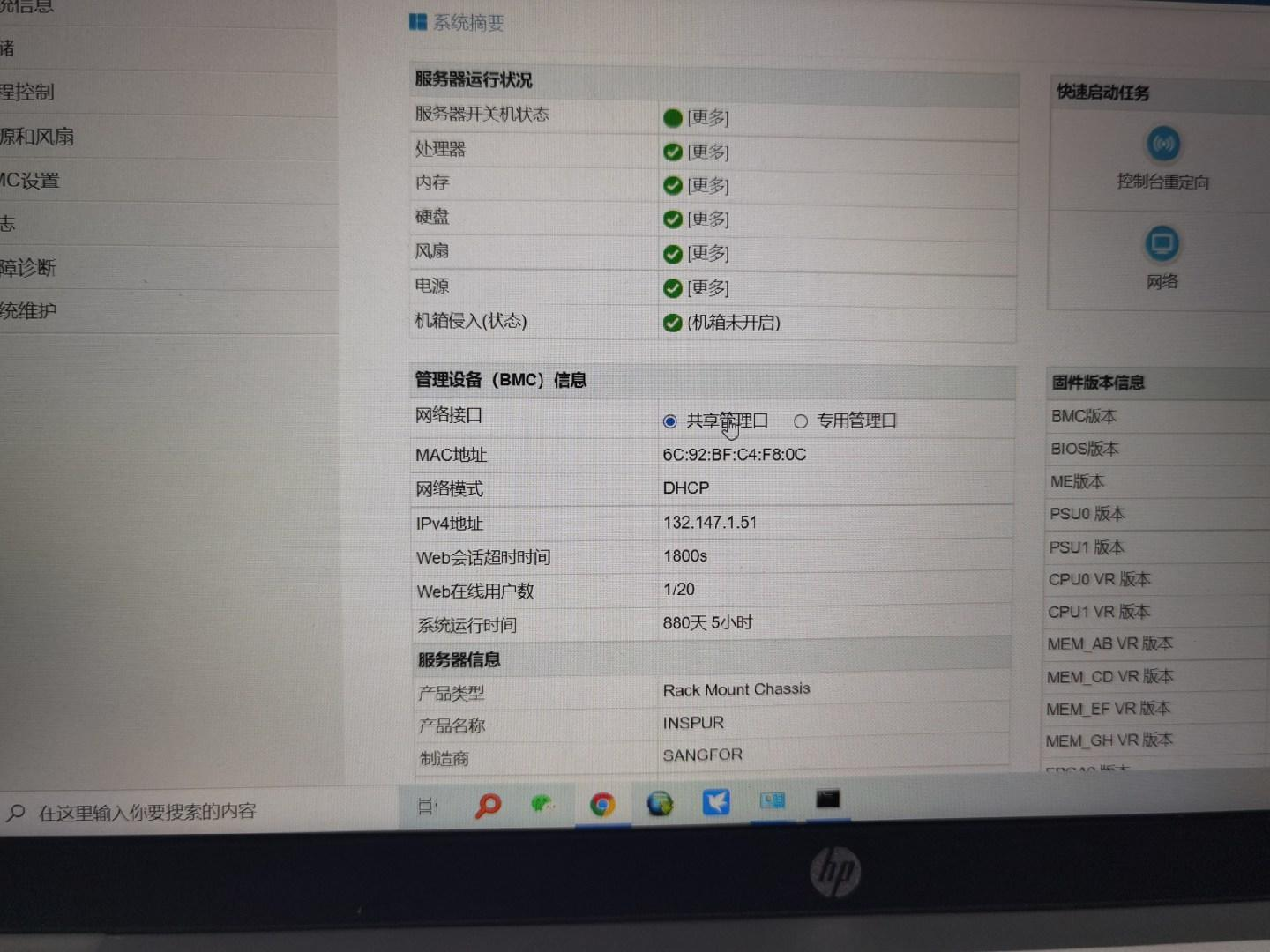
- Connected after changing to dedicated administration and management port
Original Link
https://support.sangfor.com.cn/cases/list?product_id=26&type=1&category_id=12252&isOpen=true