
[VDI] Chrome Remote Access Showing “Please Download and install the latest Agent first”
Issue Description
When using Google Chrome for Remote Access, the message "Please download and install the latest agent first" appears, even though the agent is already installed. However, there is no issue when using Internet Explorer.
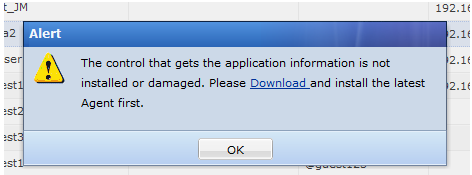
Handling Process
- Using Internet Explorer, remote access works without issue. Pressing [F12] in Google Chrome shows many URL requests to https://127.0.0.1:53530 marked in red, but there is no such issue in Internet Explorer.
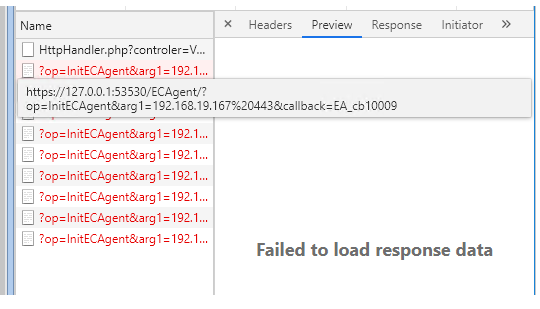
- When trying to access this URL, it is marked as not secure.

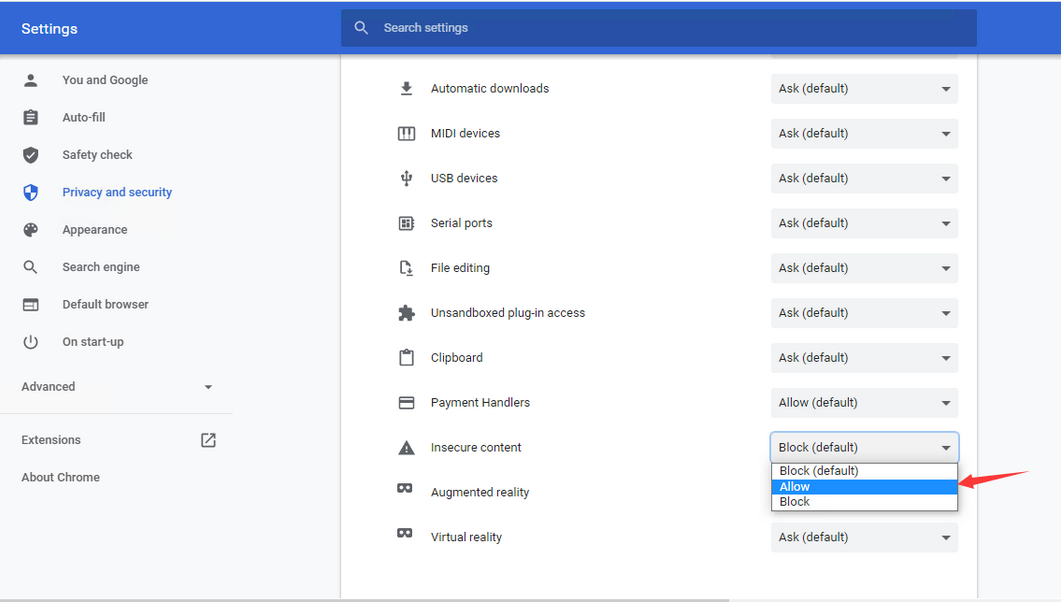
- Click the Not secure and go to Site Settings > Privacy and Security > Insecure Content, and set it to Allow. After changing this setting, remote access via Chrome is successful.
Root Cause
Google Chrome will hide the insecure content by default.
Solution
Set the insecure content from Block to Allow
Suggestions
There are several https://127.0.0.1:53530 URLs that are unable to access. Each https://127.0.0.1:53530 URL needs to be manually set to Allow to resolve the issue.