
[VDI] Forgot Windows VM password
Issue Description
User feedback that they forgot the Windows VM password.
Handling Process
- Check if the VM is joined to the domain. If the VM has joined an AD domain, it will not be possible to use VDC to reset the password.
- If the VM is not joined to an AD domain, access to the VDC.
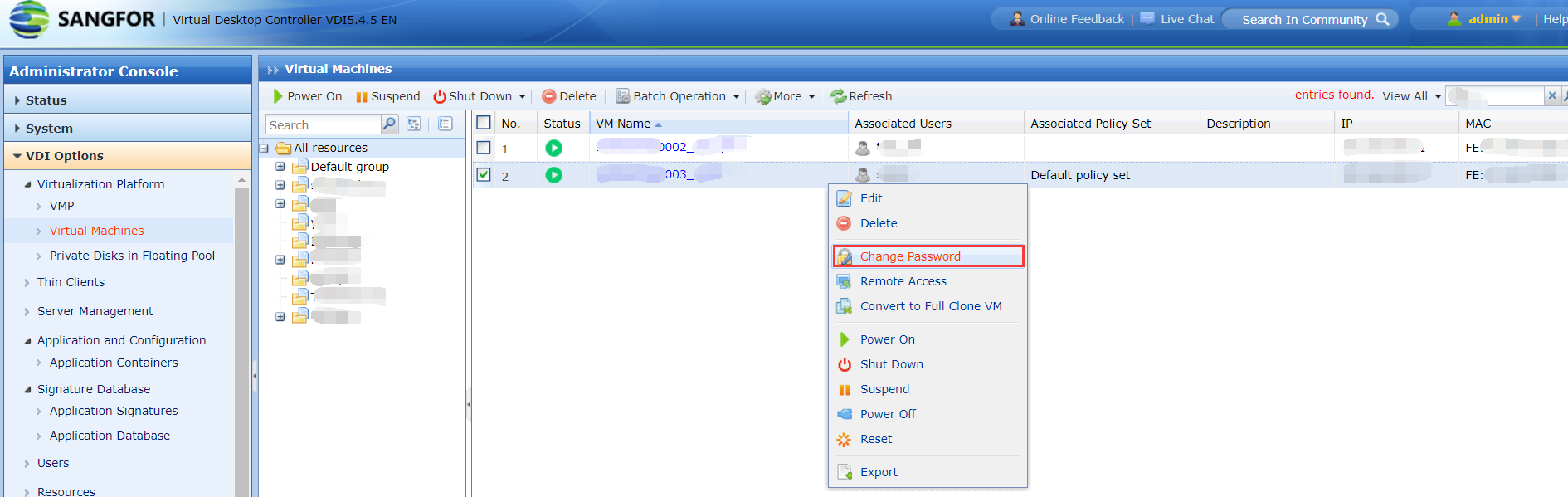
- Go to VDI Options > Virtualization Platform > Virtual Machines and find the corresponding VM.
- Click on the arrow button beside the VM name, then choose Change Password .
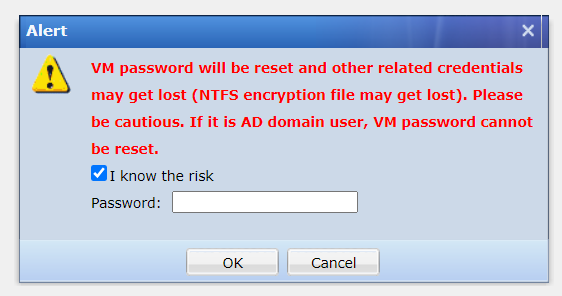
5.Tick the "I know the risk" checkbox, then enter admin password to proceed.
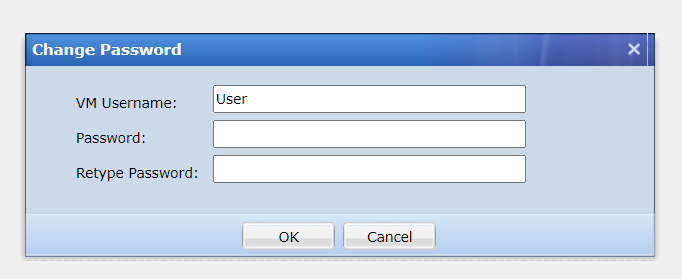
- Enter the VM username and new password, then click on the [OK] button.
- After changing the password on the VDC, reboot the VM, and then try using the new password to access the VM.
Root Cause
User forgot their Windows VM password.
Solution
Change the password on the VDC if the VM is not joined to a domain.