
[VDI] “PNP Detected Fatal Error” BSOD on Windows 10
Issue Description
-
User feedback that the Windows failed to boot and stuck on "PNP Detected Fatal Error" and "Choose your keyboad layout".
-
The Windows system also failed to boot into Safe Mode OR Last Known good configurations.
Error/Warning Information
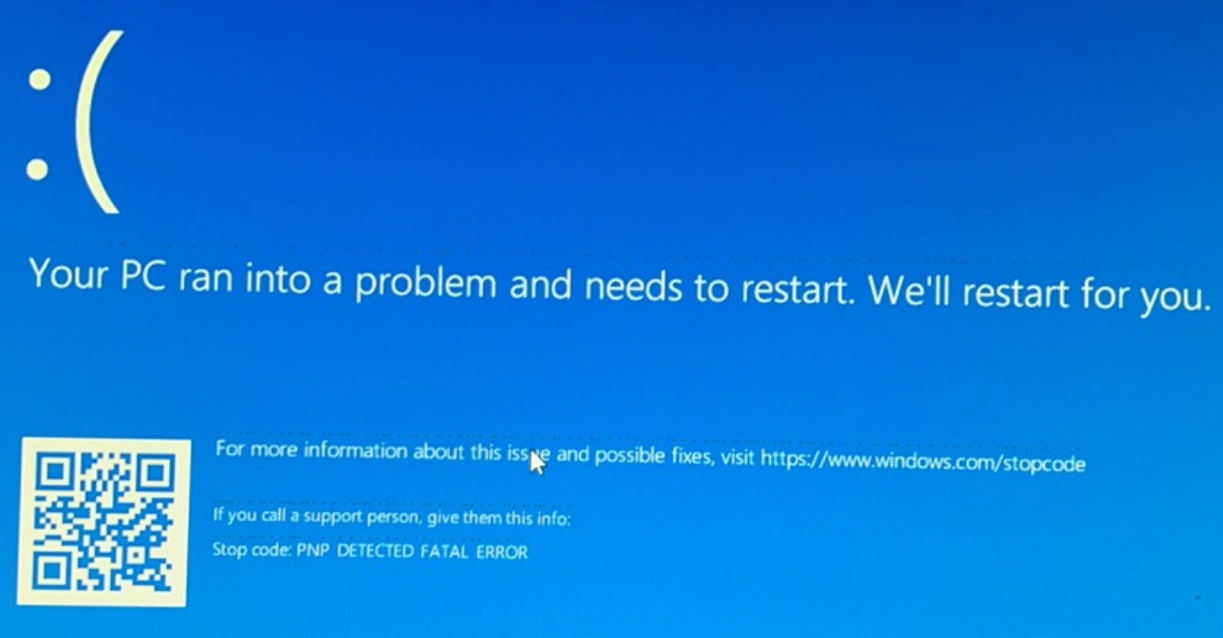

Handling Process
-
Verify whether it is urgent, if it is urgent, just deploy a new from the same resource on VDC and mount the private disk.
-
Realize the user does not have private disk configured for the VMs.
-
One of the affected VM is newly created and does not have any private data, so deployed a new virtual machine and assigned the user to the new VM and locked the abnormal VM.
-
For the other VM, user concerned on the appdata informations that stored in the abnormal VM and not willing to create a new VM for this user.
-
Explain to user and understand whether it is urgent and whether can accept the time required for troubleshoot and recovery.
-
Mount WinPE into the affected VM.
-
Run "NTBOOTautofix.exe" to regenerate boot configs, problem remain.
-
Launch "DISM++" to check for recent updates, no recently intalled programs or windows updates were found.
-
Run "chkdsk D: /F /X" from WinPE and able to boot the Windows normally.
-
Tried reboot again, able to boot without issues.
Root Cause
There are numerous reasons why Windows files or system files can become corrupted, some of the most common are:
- Sudden power outage
- Complete system crash
- Updating errors
Solution
- Boot into WinPE and perform chkdsk to check and fix corrupted system files.
Example: chkdsk d: /f /x
Suggestions
-
In care of urgency, suggest to deploy new VM for the user to work while you can troubleshoot on the affected VM later.
-
In cases where the VM does not have private disk and user wants to retrieve some files from the abnormal VM, you can mount the system disk of the abnormal VM as a Disk 2 for the new VM for retrieving files.