
[VDI] Prompt “No VDC was detected” When Performing Pre-check Of VMP
Issue Description
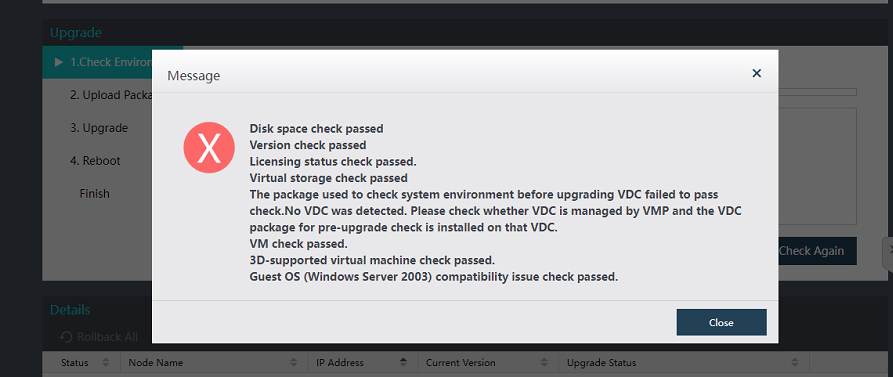
Performing upgrade from VMP 5.4.5 to 5.5.0. When VMP performs a pre-check of the environment, prompt error "No VDC was detected". Please check whether VDC is managed by VMP and the VDC package for pre-upgrade check is installed on that VDC"
Error/Warning Information
Handling Process
-
Known issue for VMP in higher version.
-
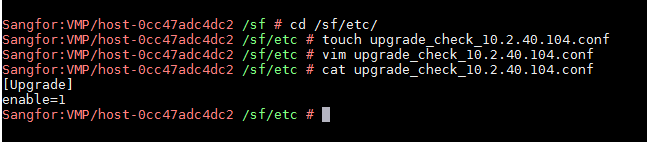
ssh to backend, access /sf/etc, then create a file named upgradecheck{VDC IP}.conf
The content should include the following:
[Upgrade]
enable=1
-
After this, sync the file to all the nodes.
-
The environment check shall be able to carry out successfully.
Root Cause
Known issue for upgrading VMP to a higher version.
Solution
Create a flag under /sf/etc to bypass the checking.