
[VDI] QR Code Scanner Abnormal Usage
Issue Description
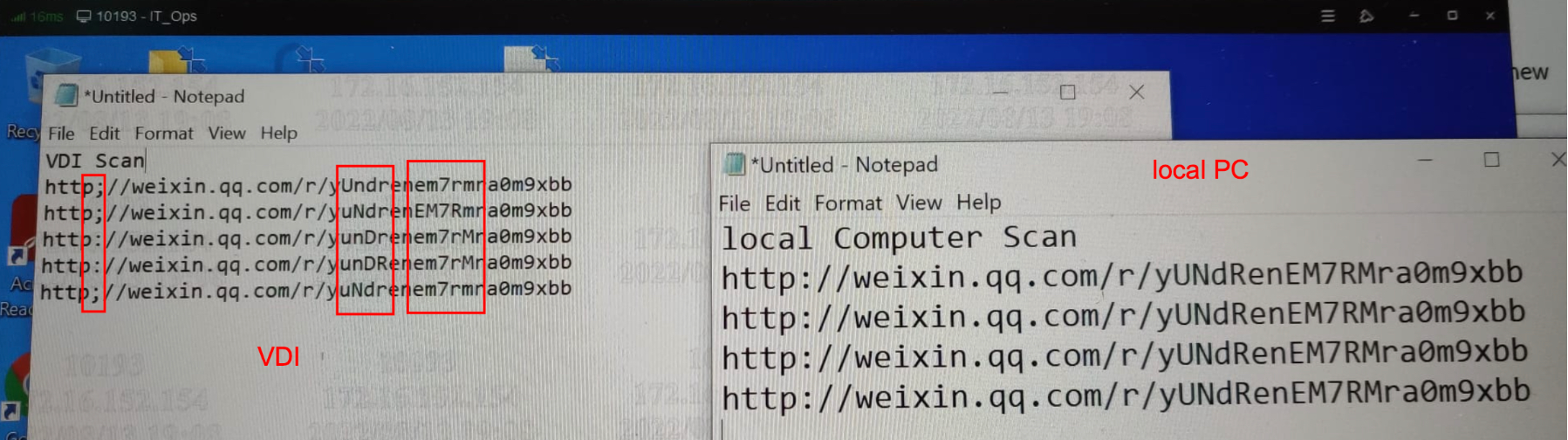
User feedback that newly purchased QR / Barcode scanner showing abnormal readings when using on VDI but able to read normally when using on physical PC.
Error/Warning Information
Handling Process
-
Understand how the scanner works, whether requires to install any additional software or drivers.
-
Checked the product website, no software/drivers available to download.
-
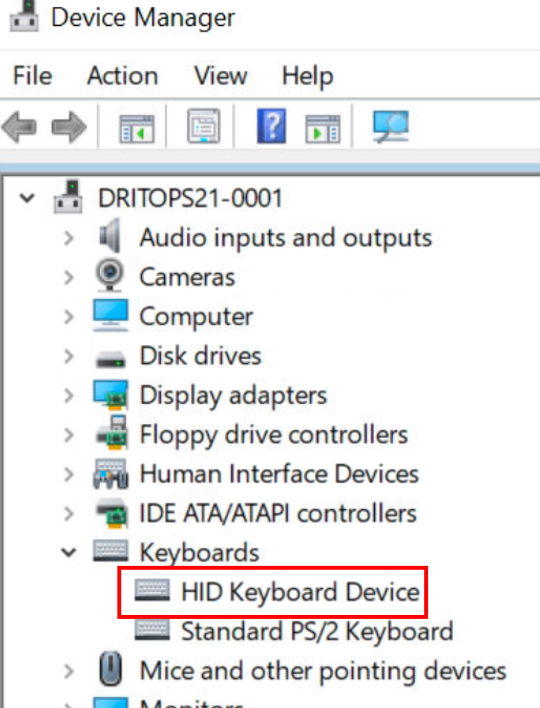
Check on the device manager, and found that the scanner is being identified as ‘HID Keyboard Device’.
-
Login to VDI, and launch the VM and check [Device Manager] , found that the scanner does not appear on the list although still able to scan the QR codes and display them on the VM. (abnormal characters).
-
Suspect that this is due to the VM does not have the necessary driver installed so the generated text becomes abnormal.
-
Configure a USB whitelist under [Mappings] on VDC and allow this device.
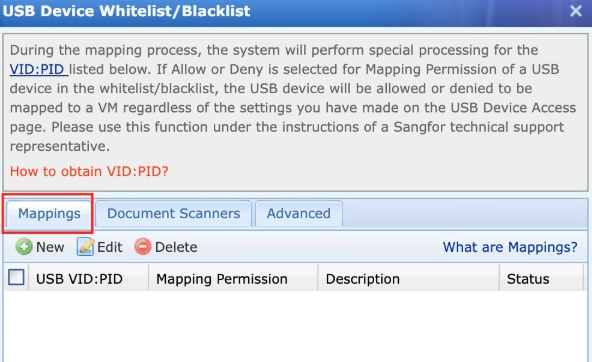
**Make sure the same PID:VID is not configured under [Document Scanners] and [Advanced].
-
Login to VDI again, and the device is mapped to VM successfully.
-
Windows auto-detects the device and installs the drivers automatically.
-
A new HID keyboard device appears under [Device Manager] on the Virtual Machine.
Root Cause
The scanner is connected via a dongle. The scanner shall appear as ‘HID Keyboard device’ under the VM [Device Manager] to work properly.
HID mode is the scanner’s factory mode, and is intended to work with a wide variety of other devices. In this mode, the scanner mimics a Bluetooth keyboard, and requires tapping or clicking a text field before scanning.
Solution
Configure a USB whitelist and map the USB into VM. Windows will auto-detect and add the device as a HID Keyboard device.