
[VDI] Remote Desktop Access Abnormal
Issue Description
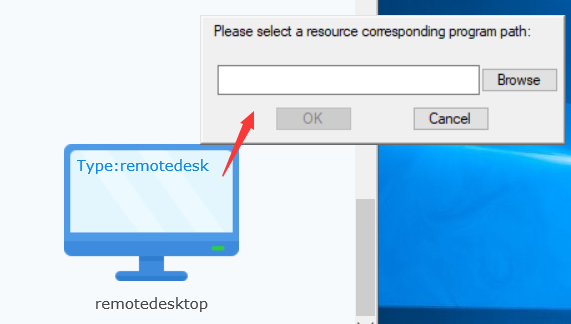
After successfully deployed Remote Desktop on VDC, login to VDI client and select the Remote Desktop resource, a message prompts out: "Please select a resource corresponding program path"
Error/Warning Information
Handling Process
1.Open mstcs.exe on the Windows and try to RDP to the address specified in the Remote Desktop resource and able to RDP successfully.
Root Cause
This feature requires users to select the mstsc.exe program path on first time use.
Solution
- Click [Browse] on the pop-up window and select ‘C:\Windows\System32\mstsc.exe’
- The resource will be able to launch successfully now.