
[VDI] The VDI Client Keeps Prompting to Update
Issue Description
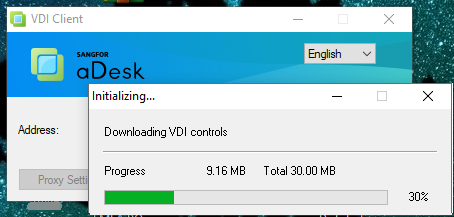
The VDI client keeps prompting to update.
Error/Warning Information
Handling Process
-
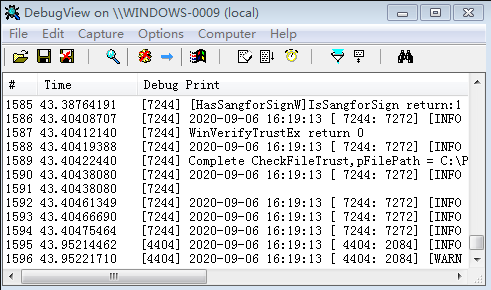
Use DebugViewer to capture the VDI client logs during operation (update) and save them as a file for analysis.
-
Search for "SendUpdateResultToQuestor" in the log file and find the name of the control with "update state is 2".

-
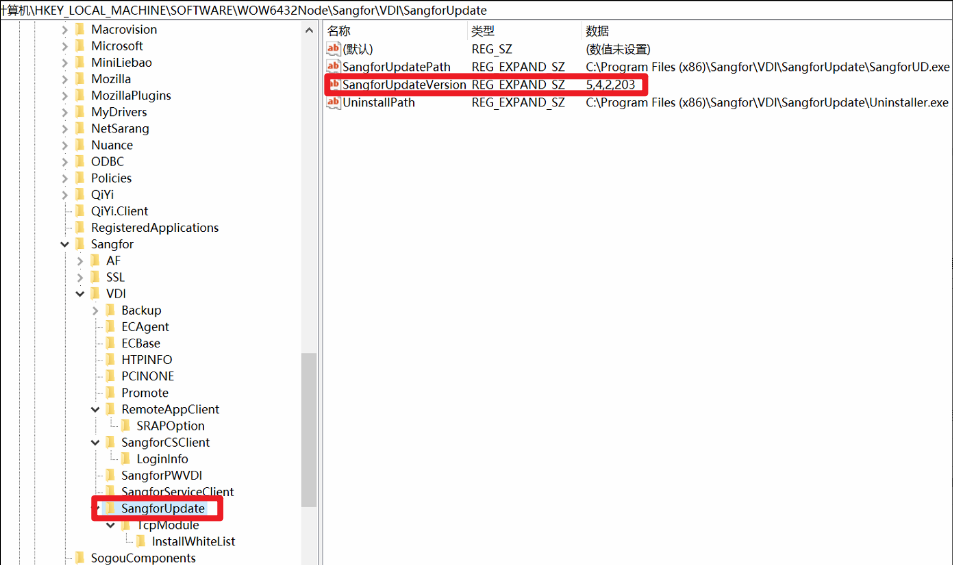
Find the version number of the control with update state 2 in the registry of the VDI client. In this case, the version number is 5.4.2.203.
-
Log in to the VDC backend, view this two files, and compare whether the version numbers of the controls recorded in are consistent.
/sf/share/app-win/WindowsModule.xml
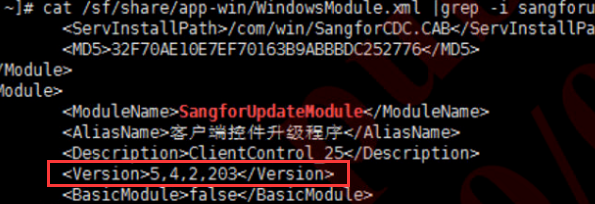
/sf/mfs/share/htdocs/com/WindowsModule.xml
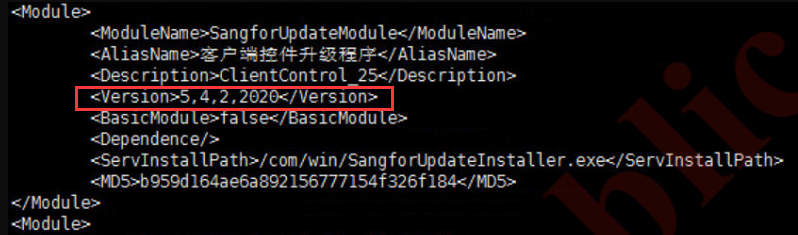
Registry: 5,4,2,203
/sf/share: 5,4,2,203
/sf/mfs: 5,4,2,2020
In this scenario, make a backup of /sf/mfs or rename it to other name.
Make a copy of /sf/share and name it as /sf/mfs.
Note: If all the version are consistent, gather information and consult R&D.
Root Cause
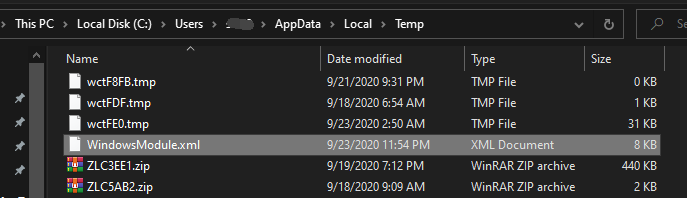
When the client connects to the VDC, it will download the WindowsModule.xml file from the VDC to the local %temp% directory.
Then compare it with the control version recorded in the registry, and update it if it is inconsistent.
Solution
Modify the WindowsModule.xml file on the VDC