[VDI] Thin Client Auto Startup Policy Abnormal
Issue Description
The customer has configured Auto Startup for Thin Client to occur at 7:30 AM every day. However, one of the thin clients is starting up at 2:30 AM every day. The customer confirms that nobody is using the thin client at 2:30 AM.
Handling Process
- Checked the Thin Client Auto Startup configurations on VDC, and they are correct.
- Checked VDC logs and found successful authentication logs at 2:30 AM. (These logs are sometimes generated by the VDC background process. Proceeding to the next step for confirmation).

- Checked VMP logs to identify whether the VM was started by the abnormal Thin Client startup. (This applies only to scenarios where the thin client is configured to automatically redirect to a VM without authenticating).
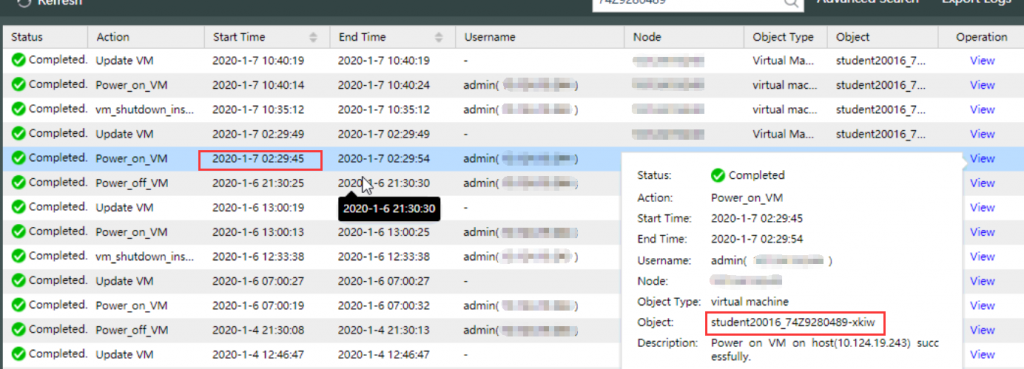
- Download the abnormal Thin Client logs from VDC.
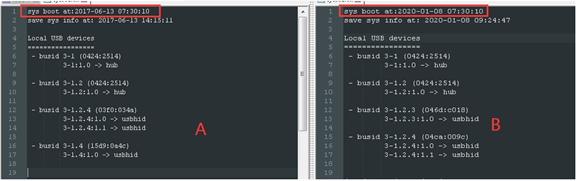
Go to [VDI Options] > [Thin Clients] and check on the abnormal Thin Client and clicked [View Logs]. (The Thin Client must be in online status). - Compare the abnormal Thin Client logs with those from normal Thin Clients and found that the abnormal Thin Client has an incorrect date-time.
Root Cause
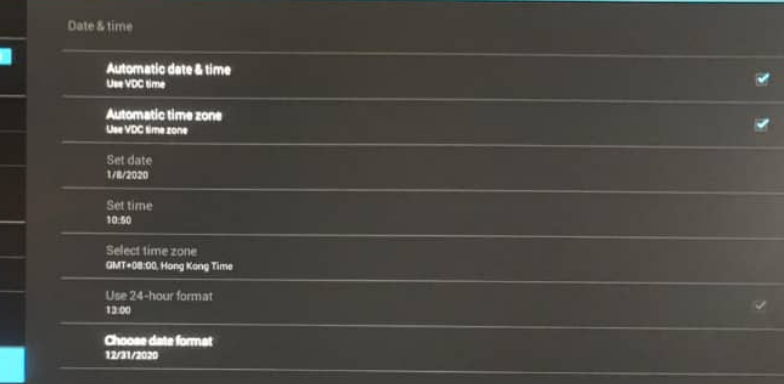
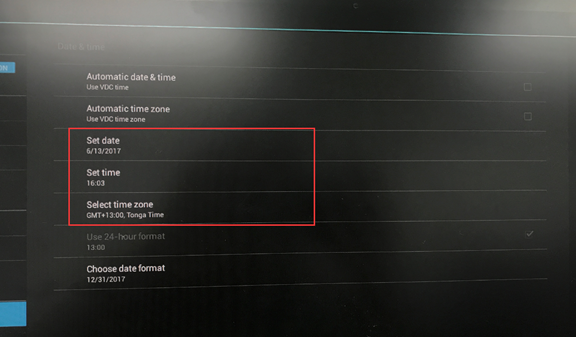
The abnormal Thin Client has wrong date-time format.
Solution
Change the date and time on the abnormal Thin Client accordingly.