
[vdi] VDC connection to domain control server reports an error and Failed to obtain the server organization tree
Problem Description
VDC connects to the domain control server and reports an error. Failed obtain the server organization tree: 192. 168. 1. 23:389: Strong(er) authentication required
Warning Information
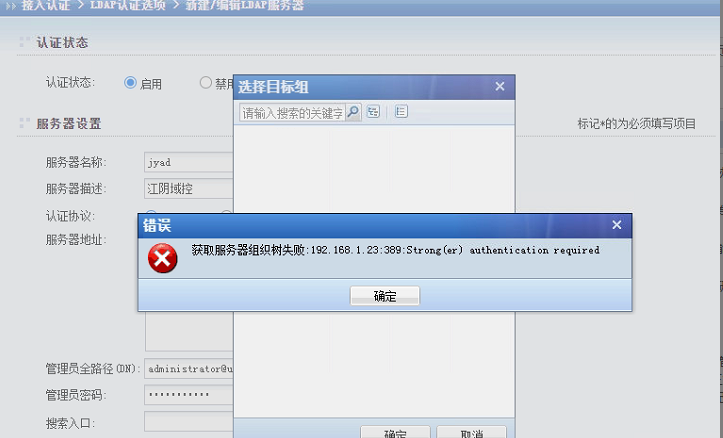
Effective troubleshooting steps
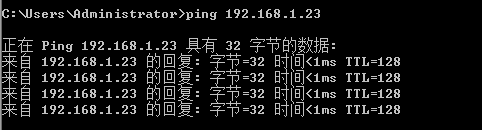
- Ping telnet Test Connectivity VDC IP address connectivity Connected
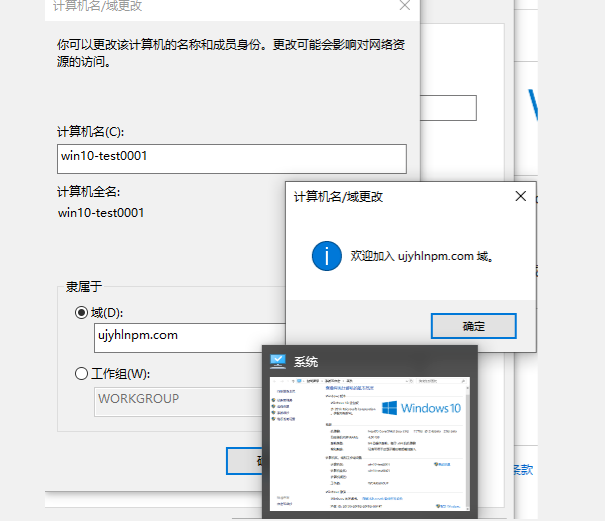
- We learned that the customer environment Yes primary and backup domain controller built with Linux, which is a little different from the traditional Windows architecture. We found a Test Connectivity virtual machine in IP Range and manually added it to the domain Connected. It can be confirmed that there is no problem with the network environment and the domain controller server. The difference Yes difference and Linux and Windows domain controllers.
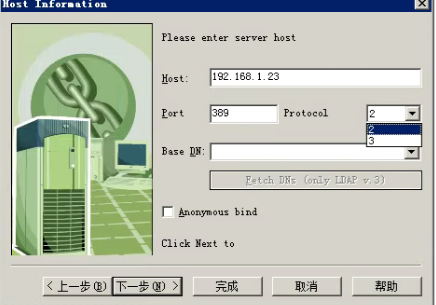
- Try to use the LDAP domain control tool to connect to the domain control Test Connectivity. The LDPA v2 connection cannot obtain the ou Path, but v3 can obtain the ou Path Connected. (If Connectivity is normal., the Select ou Path will be displayed)
 ldapbrowser.zip (4.65 MB)
- The interface tries to change the Authentication Protocol LDAPS, and uses the Default Port 636 to obtain the domain controller and the ou Path Connected.
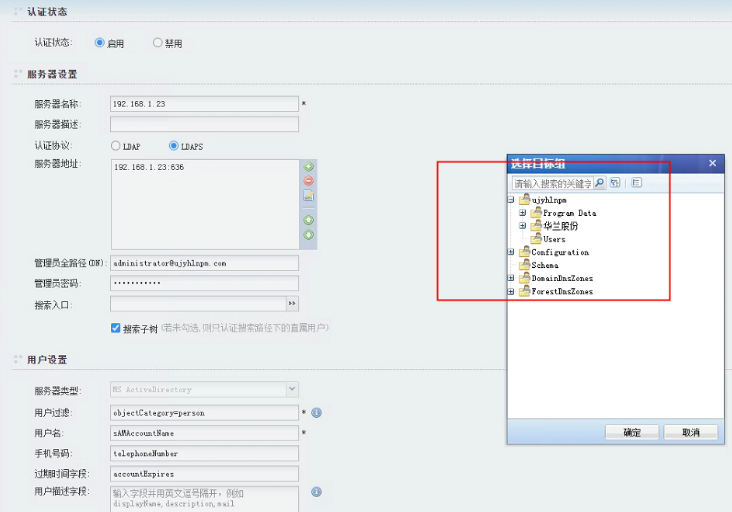
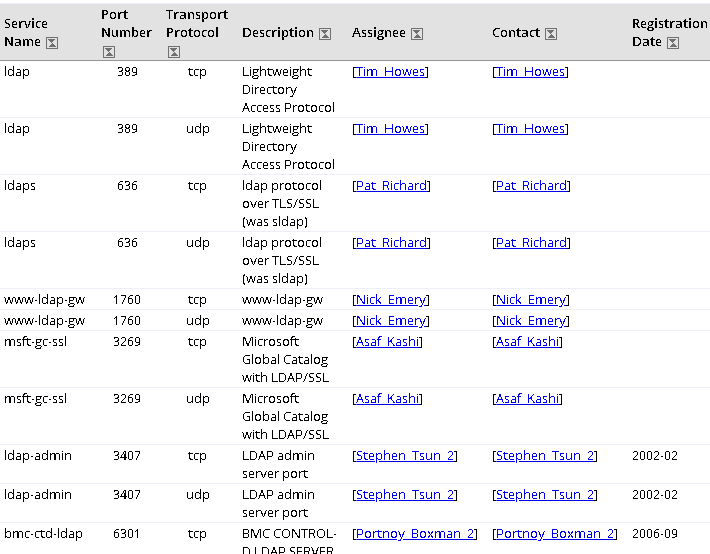
- Search Baidu for the difference between domain control Protocol and learn that the ports for LDAP and LDAPS are different. The specific Port are as follows:
Root cause
The Linux domain control server Service Protocol Port is 636
solution
Change VDC Authentication connection Port
Suggestions and Conclusion
The above Switch Protocol Authentication Yes discovered Passed Authentication. The Port can also be located Passed capturing Connected data packets of the virtual machine manually adding a domain.
Original Link
https://support.sangfor.com.cn/cases/list?product_id=26&type=1&category_id=11663&isOpen=true