[VDI] VDC prompts Email address is invalid
Issue Description
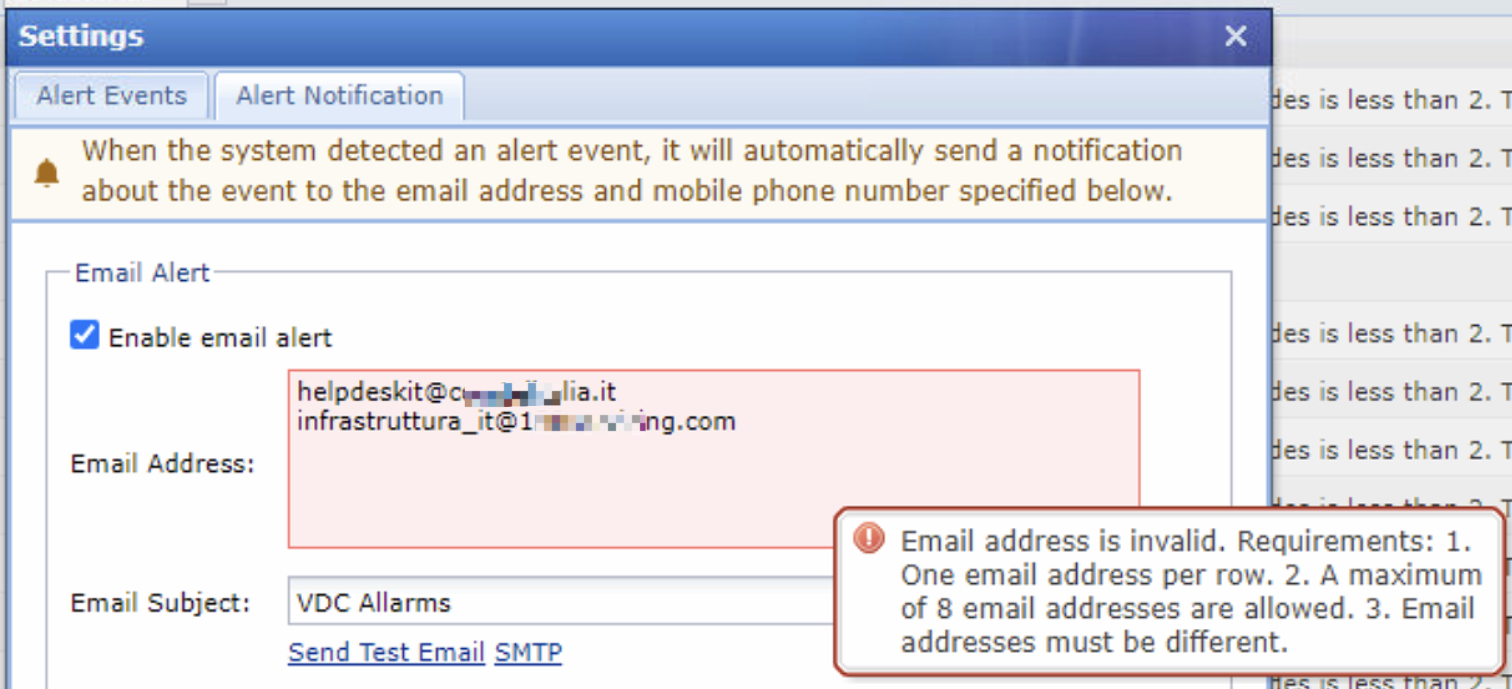
Customer wants to configure email alert and found that VDC prompts an error when user enter the email address.
Error message:
"Email address is invalid. Requirements: 1.One email address per row. 2. A maximum of 8 email addresses are allowed. 3. Email addresses must be different."
Error/Warning Information
Handling Process
-
Check whether has any illegal characters on the mail such as whitespace.
-
Remove each line 1 by 1 to identify which email is abnormal.
-
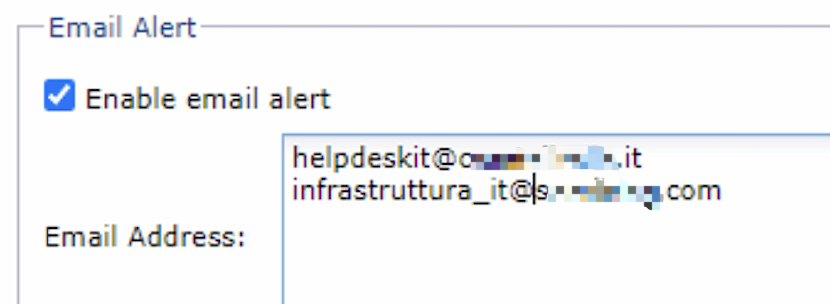
Found that the email on 2nd line is abnormal, try removing some characters on the email address.
-
After removing a few characters on the mail, it became normal.
-
Count the length of the abnormal email address before and after.
Originally: 34 characters.
After removing 3 characters it became normal with 31 characters. -
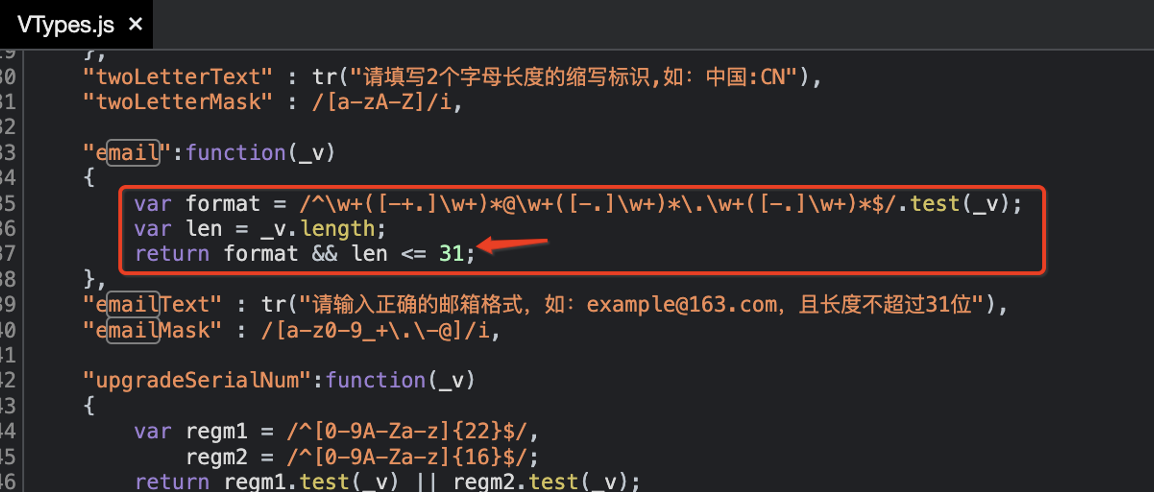
Since it is a front-end validation, use browser to debug.
-
Found that the script restricts email length to 31 characters only.
Root Cause
VDC restricts the length of email address to 31 characters maximum.
Solution
Needs to modify the script from backend and restart the service.
-
Make a backup of the script.
Command: cp /sf/share/webui/html/js/VTypes.js /sf/tmp/ -
Modify the script.
Command : vi /sf/share/webui/html/js/VTypes.js -
In our scenario, we modifed from existing 31 to 41.

-
Quit the vi editor and save the script.
-
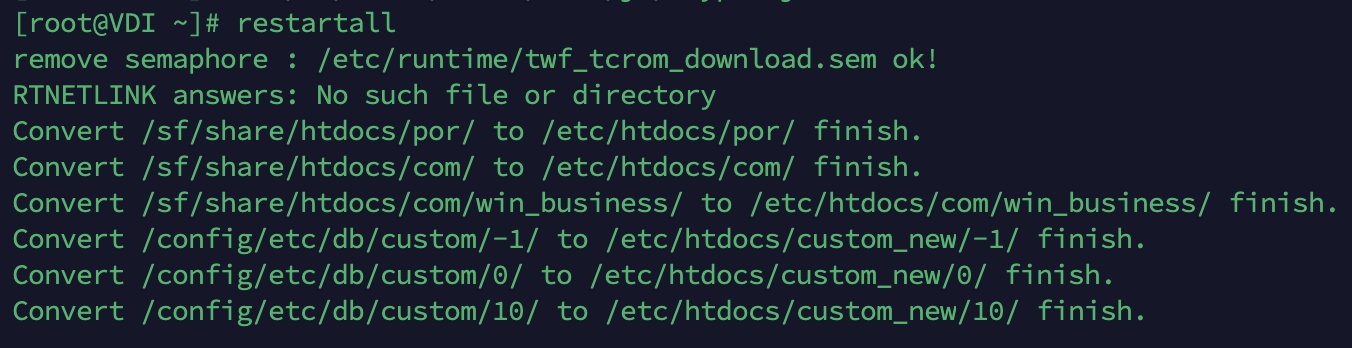
Restart VDC services.
Command: Restartall