
[VDI] VDI Client Session Process Terminated Accidentally
Issue Description
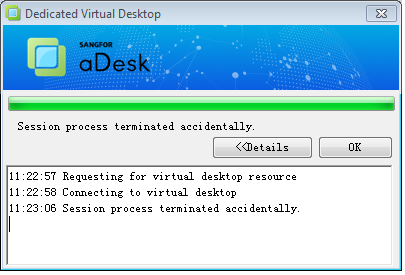
When a client logs in to a VDI client through a PC laptop to connect to the desktop cloud virtual machine, the laptop network is suddenly interrupted, and the session process terminated successfully.
Error/Warning Information
Handling Process
- Confirm that the client accesses the desktop cloud and the login method is PC access.
- When the PC laptop was connected to the network through a network cable, the VDI client can log in to the virtual machine normally.
- This problem only occurs when the PC laptop is connected to the Internet from USB wireless network card connection.
- Try to blacklist the USB wireless network card on VDC.
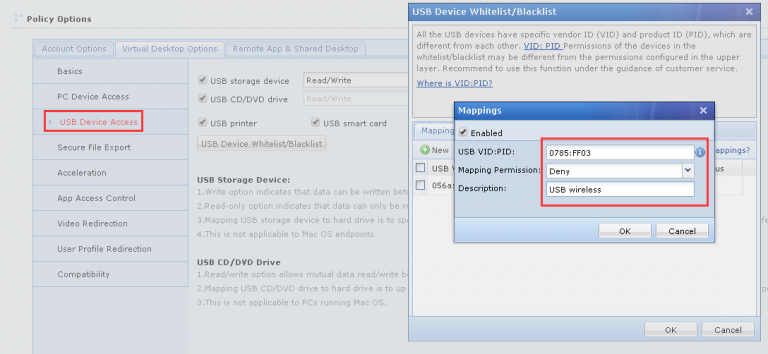
- The laptop was re-logged into the virtual machine through the VDI client and it was found that the connection to the virtual machine was successful, with no interruption to the laptop’s network.
Root Cause
When a PC notebook is connected to the Internet through a USB wireless network card, and the exclusive desktop is connected to the VDC, the USB wireless network card is mapped into the virtual machine, resulting in a local PC-side network interruption and the exclusive desktop connection failure due to the PC network interruption.
Solution
Add a USB blacklist to the policy group on the VDC by adding the USB wireless network card on the PC laptop to the VDC to prevent the USB wireless network card from being mapped into the virtual machine.