[VDI] VDI Mythware Video Sharing but on Student PC the Player Show Black Screen
Issue Description
The customer uses Mythware on the teacher’s PC to share video to the students’ PCs, but on the students’ PCs, the Storm Player pops up with a black screen on the player.
Handling Process
- On Teacher PC, try to ping to the thin client’s IP.
- Try sharing the screen and open a PowerPoint document. It is successfully displayed on the students’ PCs.
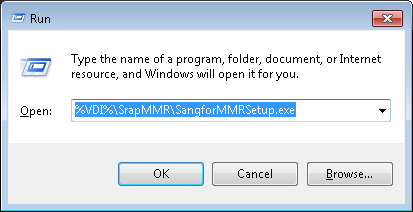
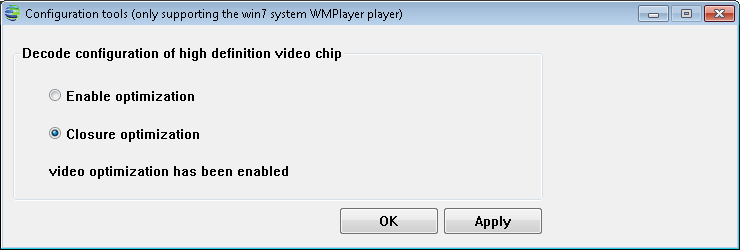
- Suspect that it is a video playback issue. Checked Teacher PC and found that video redirection is enabled. Run %VDI%\SrapMMR\SangforMMRSetup.exe to launch the configuration tool.
- Disable video redirection on Teacher PC. After making this change, the video played normally on the students’ PCs.
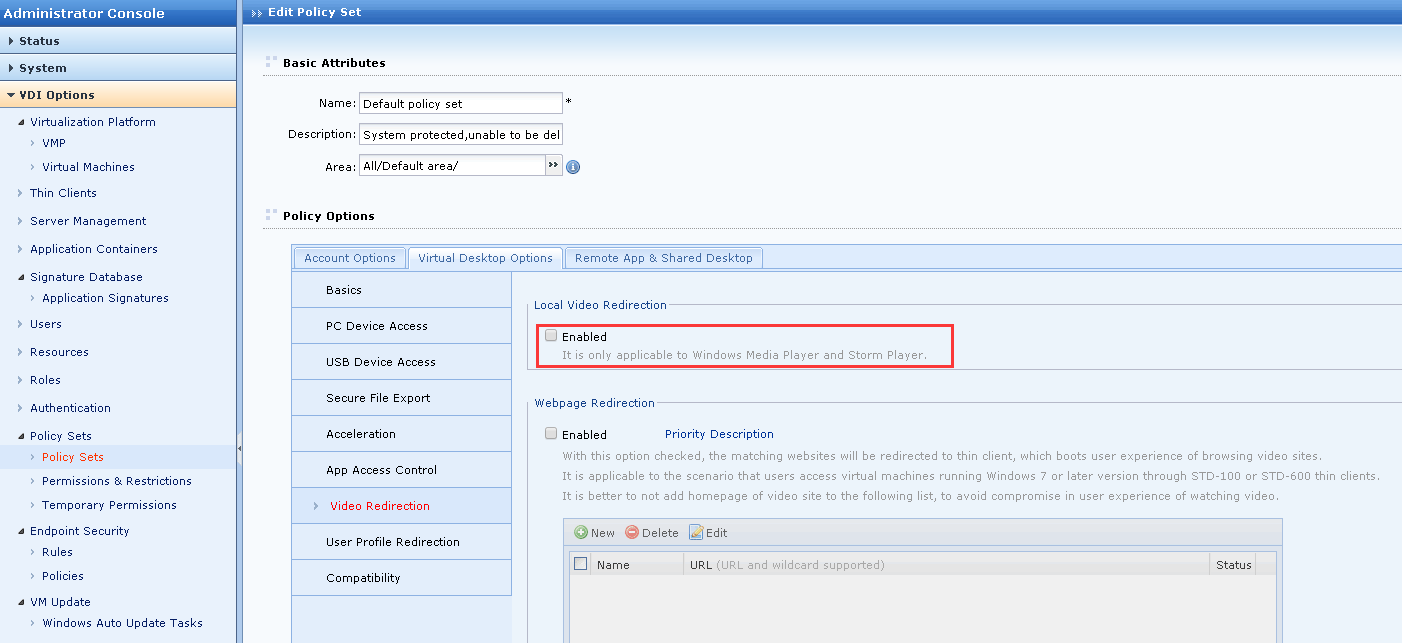
- Disable the video redirection on the VDC.
Root Cause
The teacher’s PC had video redirection enabled, causing the screen to be redirected.
Solution
Disable the video redirection on VDC.