
[VDI] “VDS Server ONLY” Failed To Configure IP Address On NIC X710 and X722
Issue Description
User deployed a new VMP server and wants to configure the storage interface.
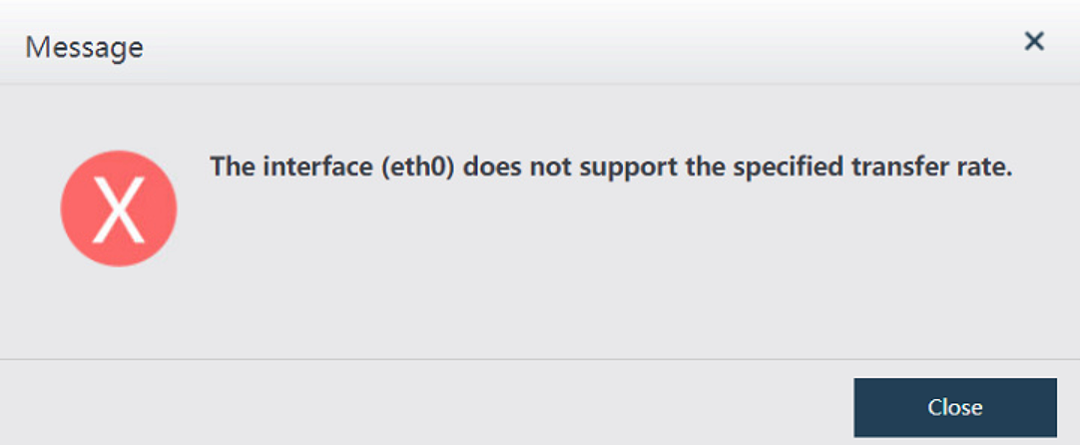
When click Save after configure the IP address, VMP prompts "The interface (eth0) does not support the specified transfer rate".
Error/Warning Information
Handling Process
-
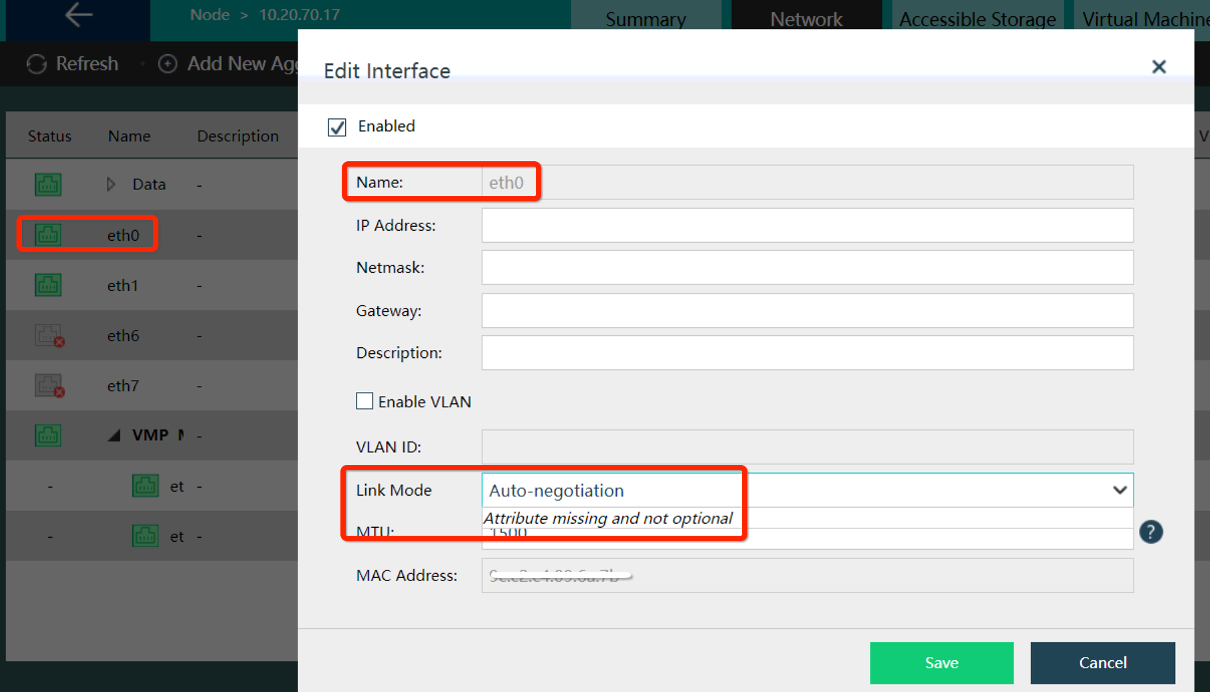
Check the Link Mode of the interface, found that VMP prompts "Attribute missing and not optional".
-
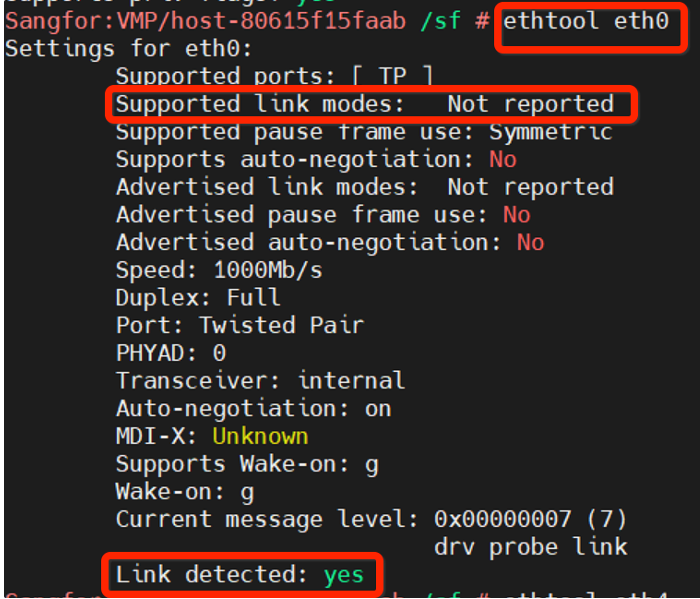
Access backend and use ethtool to check link-detection and check whether able to detect link-speed.
-
From the result, we can confirm that the connection is detected but the Supported Link Modes is not reported.
-
Perform the same test on other affected hosts, result is the same.
-
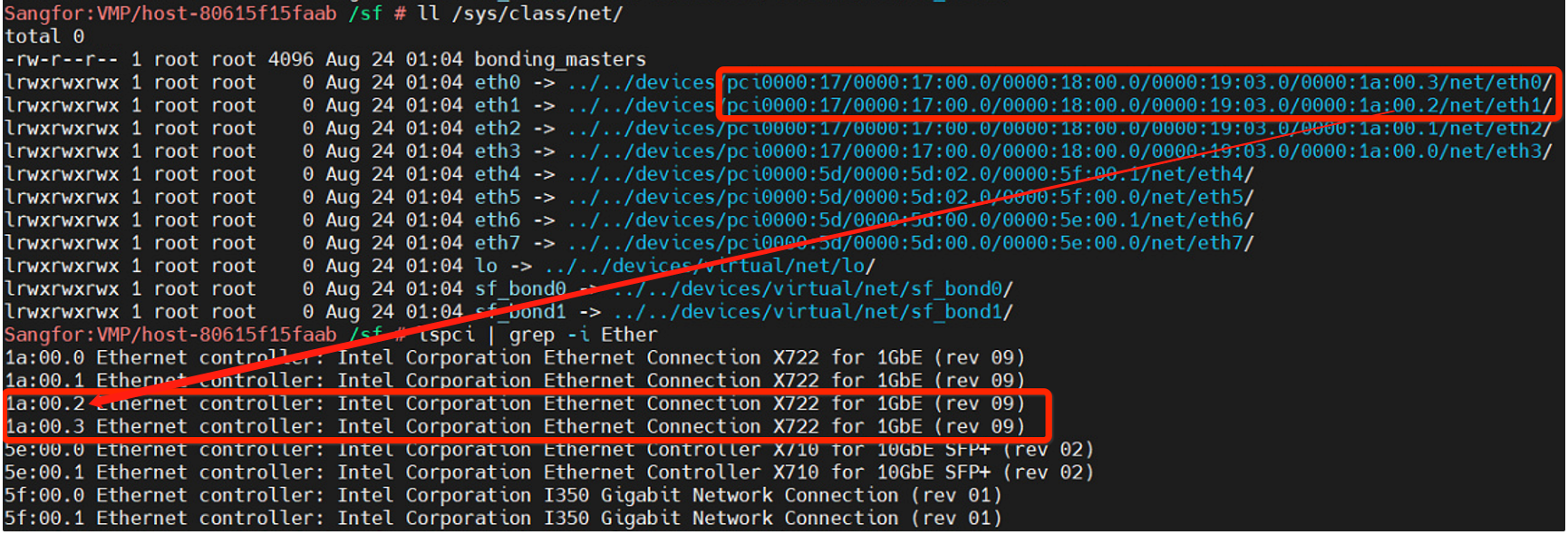
Identify the NIC model for the affected NIC. It is using X722 model.
-
Check on Kernel.log, did not found any other errors.
Root Cause
[NIC model X710]
The ethtool tool in VMP version 550 and earlier has not been updated, so the link-speed of X710 network card cannot be read.
[NIC model X722]
Some versions of X722 network cards shipped from the factory cannot identify the link-speed.
Solution
[For X710]
Replace the existing ethtool under /sbin/ with new version of ethtool.
-
Download the new ethtool and place it under /sf/data/local
Link: https://sangforltd-my.sharepoint.com/personal/siva_sangfor_com/_layouts/15/onedrive.aspx?id=%2Fpersonal%2Fsiva%5Fsangfor%5Fcom%2FDocuments%2FDo%20not%20delete%2FNew%20ethtool&ga=1 -
Make a backup of existing ethtool.
Command : cp /sbin/ethtool /sf/data/local/ethtool.bak -
Replace the new ethtool that downloaded just now.
Command: cp /sf/data/local/ethtool /sbin/ethtool -
Modify the permissions.
Command: chmod 775 /sbin/ethtool
[For X722]
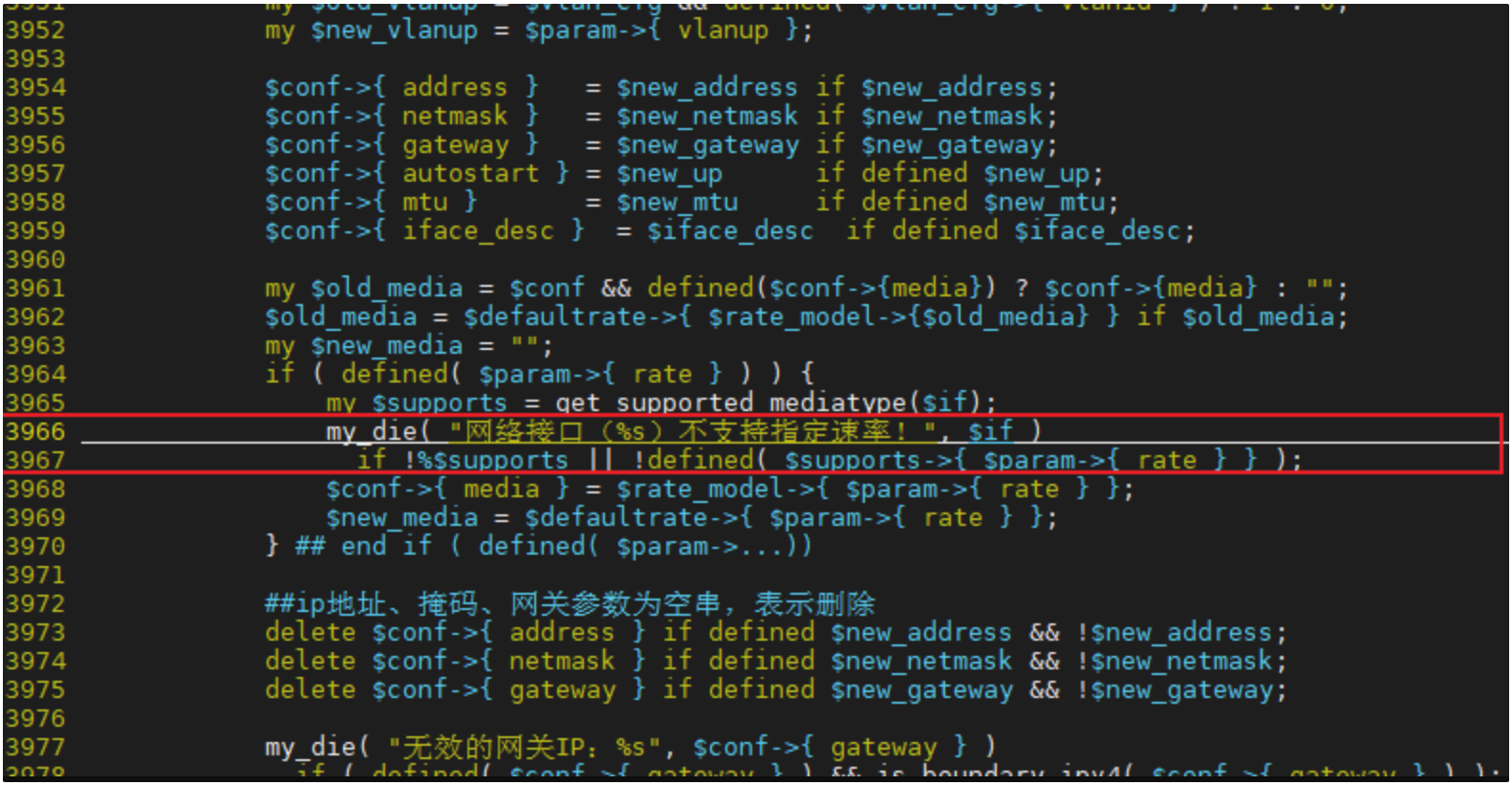
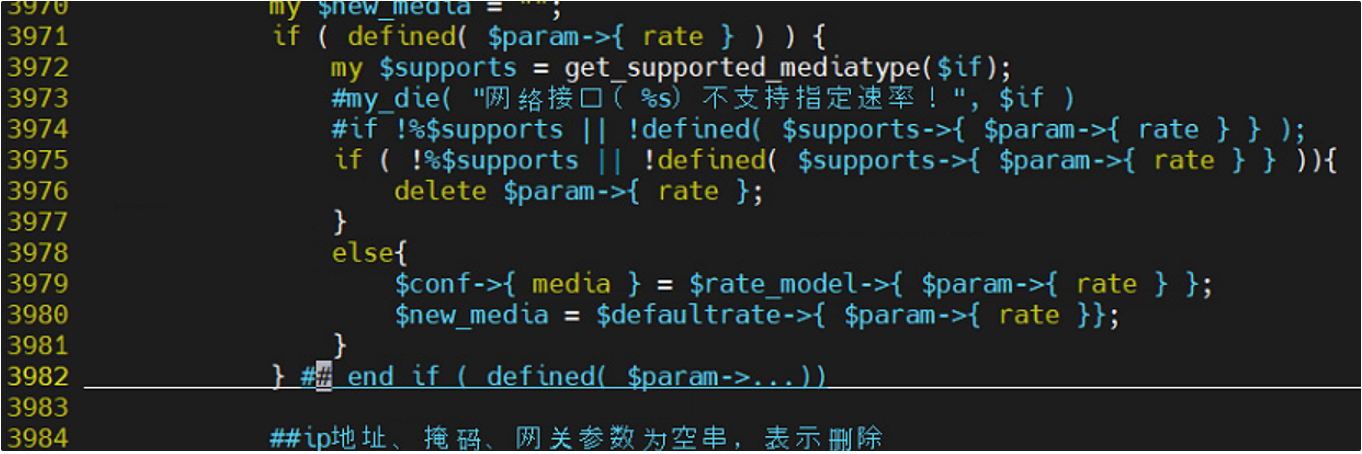
Needs to modify the backend code of Nodes.pm [High Risk]
-
Make a backup of existing code.
Command: cp /usr/share/perl5/VTP/VAPI/Nodes.pm /usr/share/perl5/VTP/VAPI/Nodes.pm.bak -
Modify the code.
Command: vim /usr/share/perl5/VTP/VAPI/Nodes.pm
Before:
After:
-
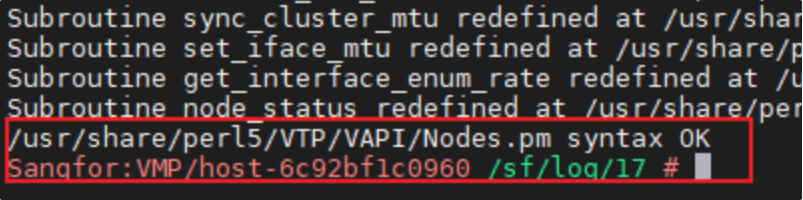
Check the syntax after modifications.
Command: perl -c /usr/share/perl5/VTP/VAPI/Nodes.pm
Note: Must return "syntax OK"
-
Restart the services to take effect of the modifications.
Command : /sf/etc/init.d/vtpdaemon restart; /etc/init.d/apache2 restart
Note: Changes will not take effect until service is restarted.