
[vdi] VM 2-3 Click on File and Resource managers in the virtual machine
Problem Description
VM Click 2-3s delay and clicking administration and management and Resource managers in the virtual machine.
Effective troubleshooting steps
- Administrator Console and check the IOM delay etc., Error
- Uninstalling the agent Test Connectivity None improve
- View safe Mode Test Connectivity, None improvement
- When changing to super administrator Administrator User log in, there is no lag, but when the domain User logs in, there is lag.
- Disabled domain User Policy, but still experience lag after joining the domain
- New Windows User test also experienced lag.
- Find a pure VM comparison and analysis to rule out individual Software issues. After investigation, it was found that the lag was caused by Hongyi Cloud Disk.
- No lag Auto unlock after Install Hongyi Cloud Disk on a physical machine.
- After uninstalling and reinstalling Hongyi Cloud Disk, lag phenomenon disappears on the virtual machine that is experiencing lag.
- After investigation, it was found that Cause Yes Install Path of Hongyi Cloud Disk Auto unlock after the system directory.
Root cause
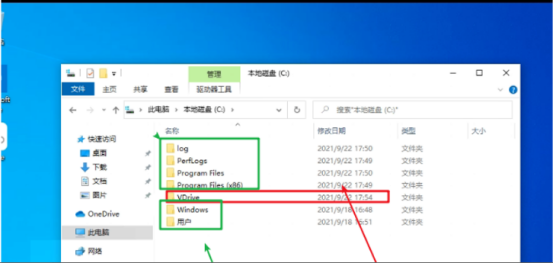
Due to Install Path of Hongyi Cloud Disk, it needs to be Install Auto unlock after root folder of Drive C. It cannot be Install Auto unlock after system directory such as (C:/Program Files). It is recommended to New VDrive File Auto unlock after root folder of Drive C and Install Auto unlock after this directory.
solution
Select non-system Software when Install software.
Original Link
https://support.sangfor.com.cn/cases/list?product_id=26&type=1&category_id=11465&isOpen=true