
[VDI] VMP 5.4.1 web console of VM display black screen
Issue Description
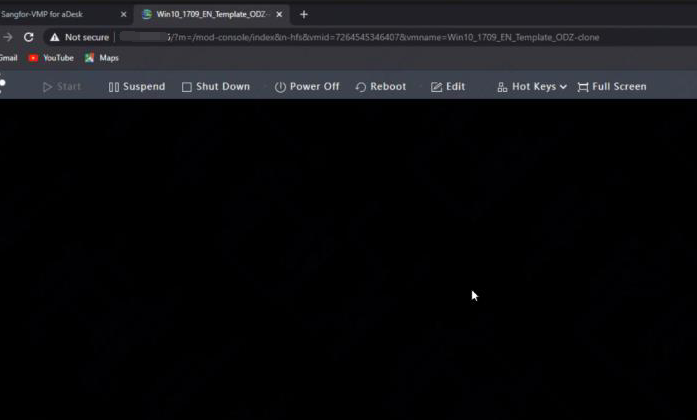
When access the VM console from VMP, the display shows black screen. But if connect to the VM using VDI Client, the VM display is normal.
Error/Warning Information
Handling Process
-
Test on different browser and PC, but the issue still persist.
-
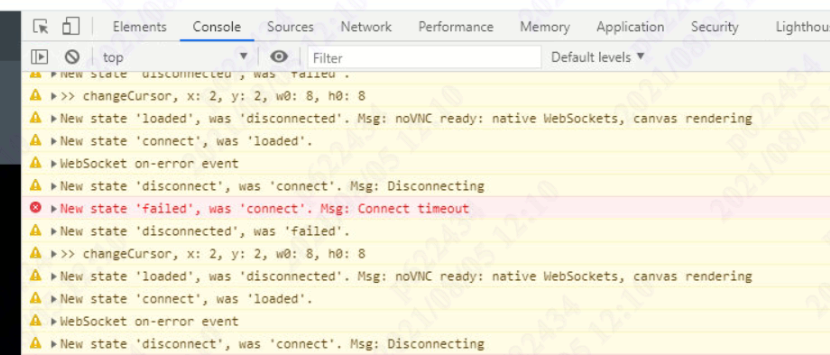
Open Developer Diagnostics tool from browser (F12), found some timeout errors on Console.
-
First, execute the command below. If the web console can display the VM, proceed next step.
sfd_clu_hosts_do.sh /sf/etc/hook.d/cluster/members-changed.d/02vnc-acl.sh -
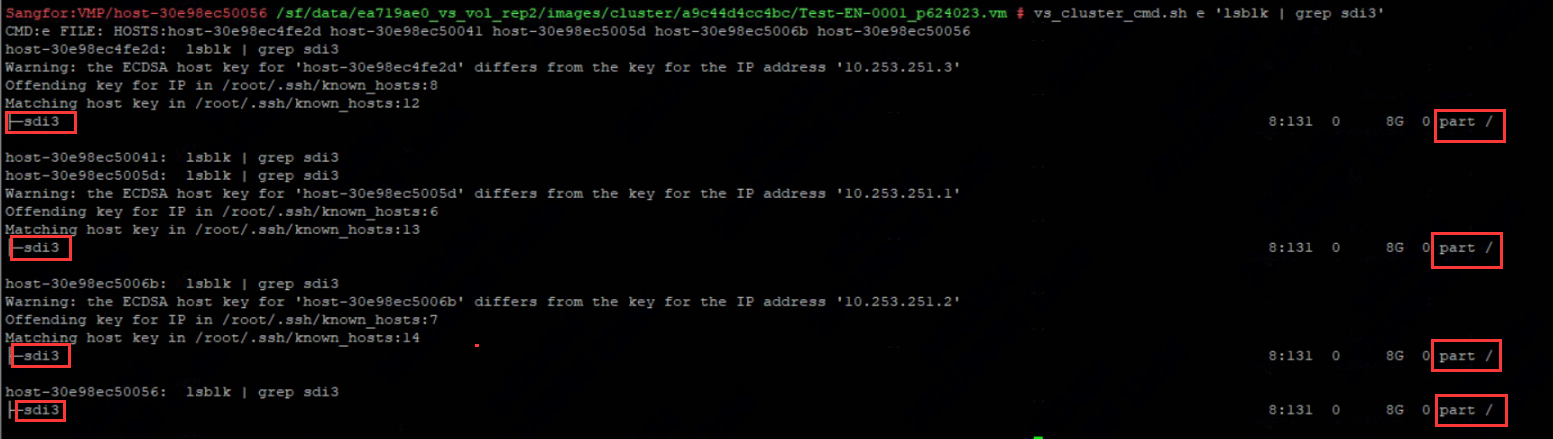
Identify the root partition using the command below.
vs_cluster_cmd.sh e "lsblk |grep /"
For example: /dev/sdi3
- Delete the 05selfcheckchange.sh file under the root partition using command below:
vs_cluster_cmd.sh e "mount /dev/sdi3 /mnt/root/;rm -f /mnt/root/sf/etc/hook.d/cluster/members-changed.d/05selfcheckchange.sh;umount /mnt/ root;"
Warning:
If the root partition on each hosts are inconsistent(Possible sdg, sda,.. etc), DO NOT use the command above. You have to manually modify and execute the command on each host 1 by 1.
Example : mount /dev/sda3 /mnt/root/;rm -f /mnt/root/sf/etc/hook.d/cluster/members-changed.d/05selfcheckchange.sh;umount /mnt/ root;
If you are not sure, please seek help from a senior/specialist as this is a high-risk command.
- Lastly check whether the 05selfcheckchange.sh file exist. Execute the command below and the output should be no such file or directories.
vs_cluster_cmd.sh e "mount /dev/sdi3 /mnt/root/;ls /mnt/root/sf/etc/hook.d/cluster/members-changed.d/05selfcheckchange.sh;umount /mnt/root;"
Root Cause
Known bug on VDI 5.4.1.
Solution
Remove the the 05selfcheckchange.sh script from each of the node.
Suggestions
If you are unsure, kindly gather the findings and consult a specialist.