
[VDI] VMP alerting that Virtual Storage license will expired
Issue Description
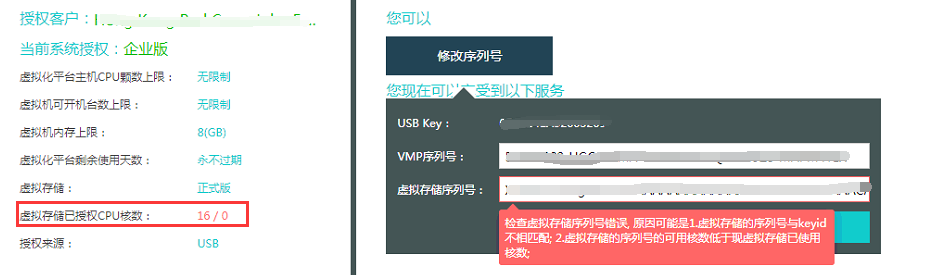
Customer is using ‘Never expire’ type key but suddenly VMP prompting that Virtual Storage will be un-usable after 27 days.
Error/Warning Information
Handling Process
- Consult Licensing team, verified license is never expired and valid.
- Check hardware is using aServer. aServer does not limit CPU Core for virtual storage.
- Enter the command
vs_sn -fand found the result is ‘failed’. This means that the host has signature issue.

- Check on remaining hosts, only 1 host affected.
- Retrieve the hardware ID using command
/sf/vs/sbin/vs_sn -p

- Submit the hardware ID to 周冏70540 to generate the script for hardware signature.
- Place the script on /root partition and execute.

- After execute the script, reboot the host to take effect.
Root Cause
aServer hardware signature changed/damages. This happen if system disk were changed/ reinstalled system / hardware configuration changed.
Solution
Execute script on backend and reboot the host.