
[VDI] VMP System Disk read only
Issue Description
- Node offline alert prompted.
- Able to display when connect faulty node to monitor, however failed to ping the faulty node.
- Issue resolved after reboot the node.
Error/Warning Information
Node offline.
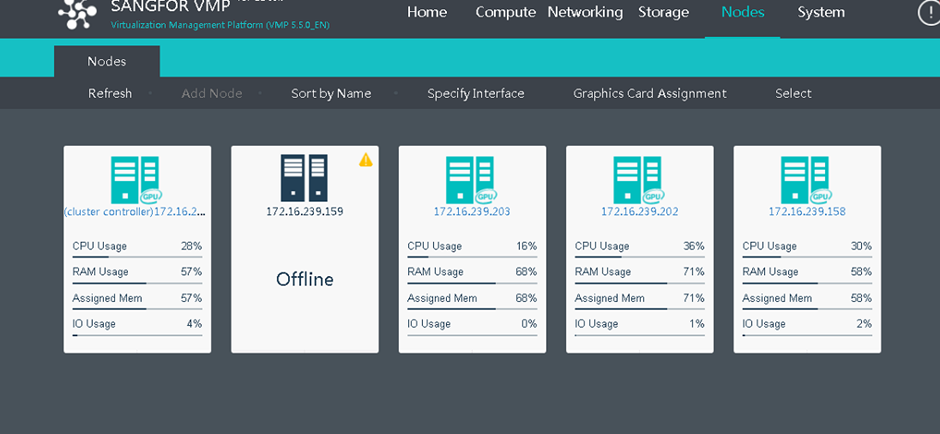
Handling Process
-
When accessing to IPMI portal KVM console, found that the VMP failed to perform I/O read write to the system disk.
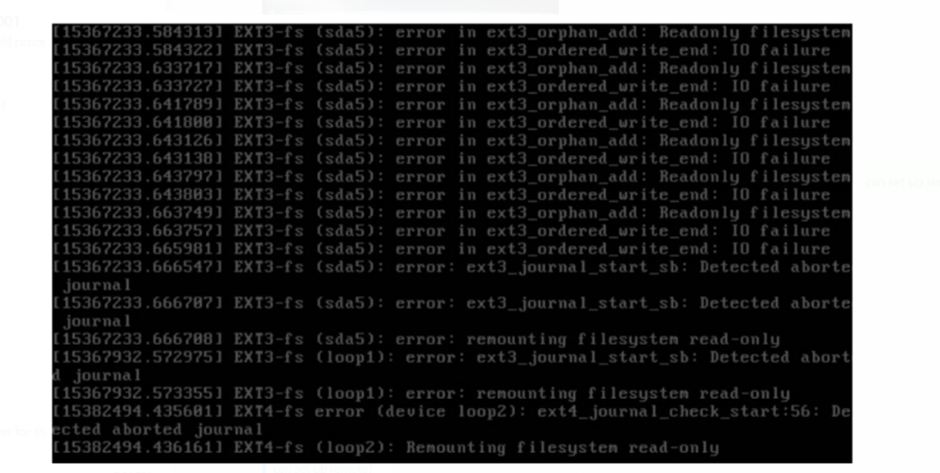
-
Locate the system disk. VMP’s system disk partition used to mount [/sf/log], [/sf/data/local], [/boot] partition and [swap].
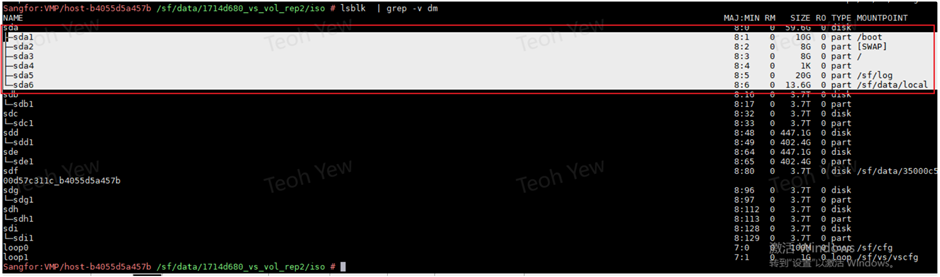
-
Access to faulty node either via VGA connection or IPMI KVM console, access to backend and enter command [mount], check whether the system disk status is in [ro] status.
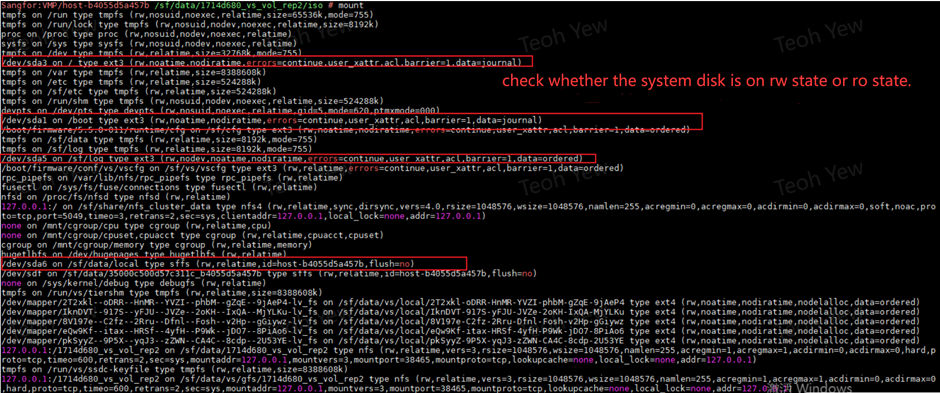
-
Perform command [smartctl -a] and [smartctl -x] to check the health status of the system disk.
-
Check whether garbled characters exist in logs before and after the host turns offline. When the disk fails, I/O is unavailable and garbled characters will be appeared.
-
View /sf/log/ [offline date] and blackbox log to look for the Garbled message. Garbled message usually appears in only one log file and does not only show in one specific log. Required to view multiple log files to search for the garbled message.

Root Cause
- Garbled shows in the logs due to system disk faulty.
Solution
- Exchange the system disk.
- Required to power off Node when performing system disk replacement, notify client for the event.