
[VDI] VMP unable to install on Dell R740 servers
Issue Description
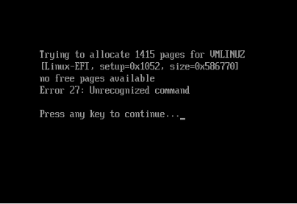
VMP installation failed with error message "trying to allocate 1145 pages for VMLINUZ"
Error/Warning Information
Handling Process
- Refer from the following links, just simply install the operating system into legacy mode then the operating system should be able to boot up. (Note: VMP was based on RHEL operating system)

Root Cause
VMP was installed in UEFI mode.
Solution
Install VMP in traditional legacy mode.