
[VDI] VMP Upgrade Failed
Issue Description
In certain situations, upgrading VMP servers within a cluster may result in some servers not being successfully upgraded due to various reasons.
For example, in a scenario where 5 nodes are being upgraded simultaneously, 2 nodes may experience upgrade failures due to the management port network being limited to 100Mbps, causing a timeout in synchronizing the upgrade package, thus leading to upgrade transmission timeouts, as shown in the diagram below.
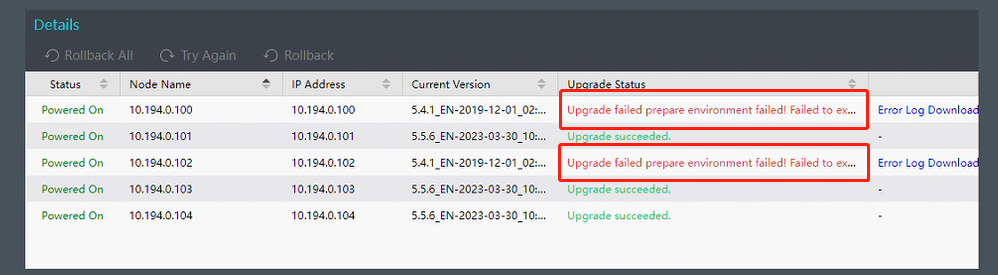
In such cases, clicking Retry on the interface generally allows for a successful upgrade.
However, at certain times, if clicking Retry results in a prompt indicating inconsistent cluster version information, backend intervention is required to upgrade the corresponding VMP node. The error message is as shown in the diagram below.
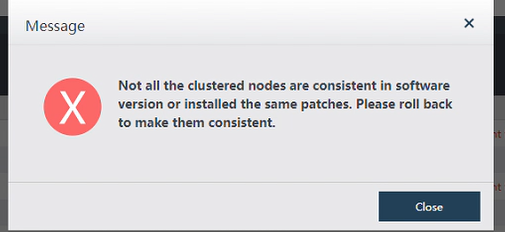
Error/Warning Information
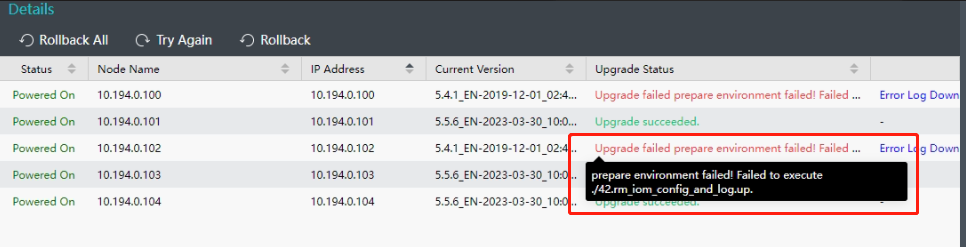
Handling Process
- Upload the upgrade package to the directory /sf/data/local/.
- Then, rename the upgrade package to vmp.pkg.
- Next, execute the following three commands.
- Verify the vmp.pkg using the sign and verify command.
i. signverify verify vmp.pkg vmp.dev /sf/etc/autoupdate/public_key/public.key 360

ii. chmod a+x vmp.dev
iii. ./vmp.dev -icp sangfor.vt@201314
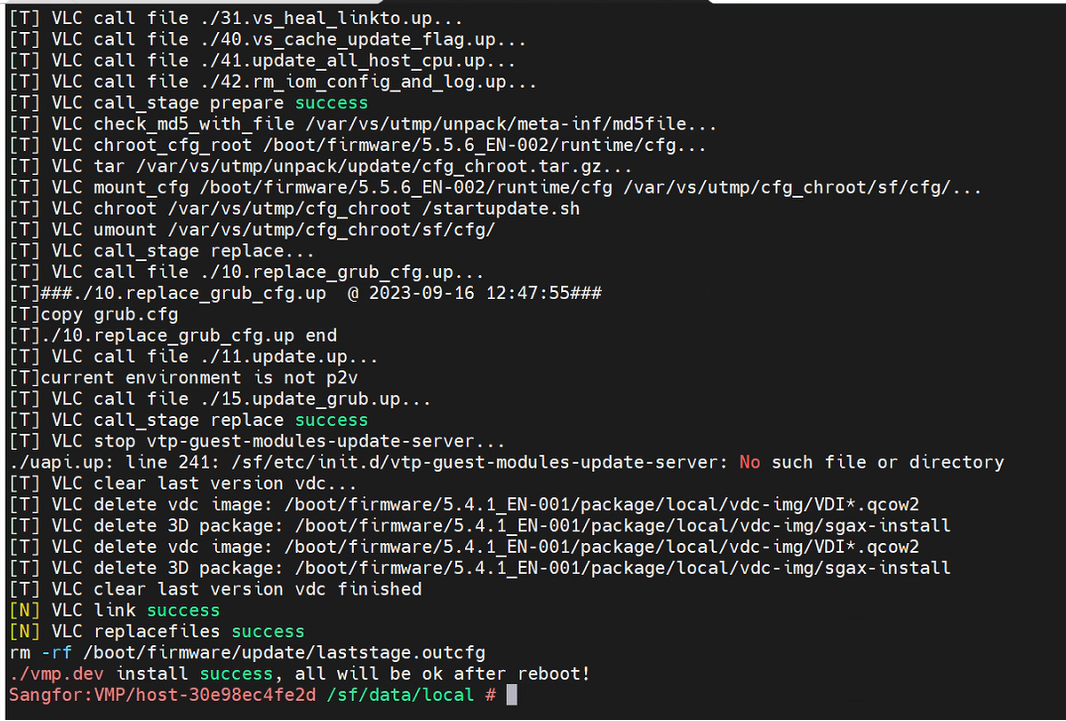
After completing these steps, wait for the other VMP servers to complete the upgrade, then only proceed with cluster restart.
Root Cause
Under some circumstances of where more servers are being upgraded simultaneously, a few servers may experience upgrade failures due to the management port network being limited to 100Mbps, causing a timeout in synchronizing the upgrade package, thus leading to upgrade transmission timeouts.