
[VDI] Windows Desktop Shortcut Display Blur
Issue Description
Windows desktop shortcut icons are displayed blurry.
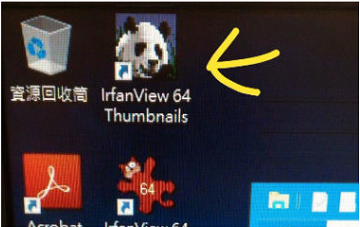
Handling Process
- When accessing the VM with the PC client, the display is normal. However, when accessing the VM with the thin client, the display shows an exception.
- Replacing the monitor and VGA cable did not resolve the problem.
Root Cause
The display and compression rate are not suitable.
Solution
Go to VDI Options > Policy sets > Virtual Desktop > Acceleration select HEDC and set the Quality to 85 %

Suggestion
If there are other display mode problems, we can also adjust the relevant compression ratio as appropriate.