
[VDI] Windows VDI Client failed get server configuration
Issue Description
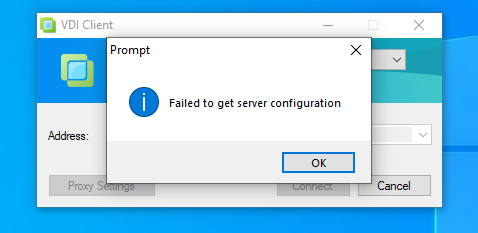
User is using Windows 10. When login to VDC using VDI lcient, it will prompt error "Failed to get server configuration"
Error/Warning Information
Handling Process
- Check connectivity to VDC was no problem (in Local network, able to ping and telnet with port 80 and 443)
- Already disabled Windows Firewall and Antivirus, still having the same issue.
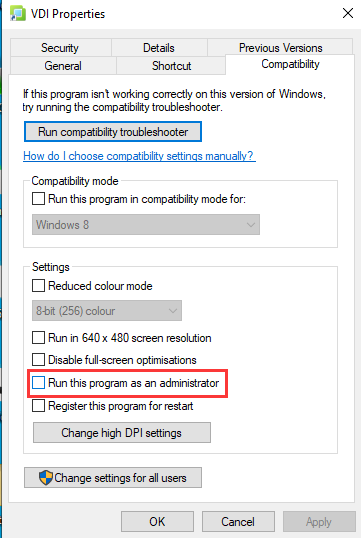
- After Enabled the option Run the program as administrator under VDI propertities (Right click on the desktop icon > Properties), VDI client login successfully.
Root Cause
Many components of the VDI client need to obtain the administrator’s privileges to run normally.
Solution
Enabled the option Run the program as administrator under VDI propertities (Right click on the desktop icon > Properties)