
[aDesk] Third-party remote application terminates unexpectedly after a successful connection.
Issue Description
The customer deployed a third-party remote application, which crashes automatically about 10 seconds after.

Effective troubleshooting steps
- As per checking, the application works properly in a Citrix environment.
- The third-party software can launch normally via RDP/mstsc.
- Other applications have been tested and are functioning normally without crashes, only a specific third-party software has the issue.
- No useful information was found in the terminal logs.
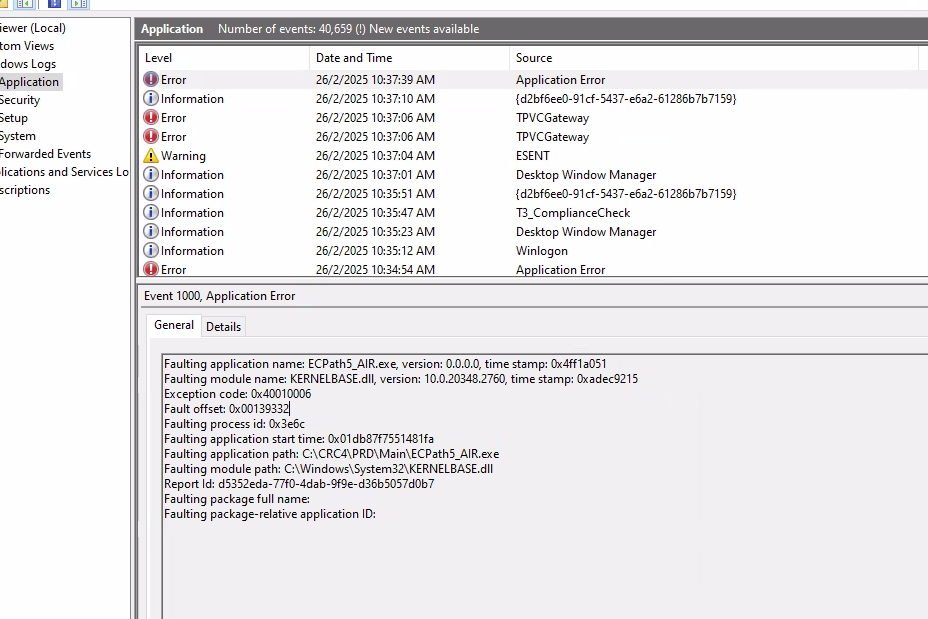
- On the SBC server, every time the terminal launches the application and it crashes, an "Application Error" is recorded in the Event Viewer.
Solution:
- Configuring the hook whitelist for the respective software.
- In SBC 2.0, to disable the global xAppApihook feature, configure the registry at the path shown in the image below.
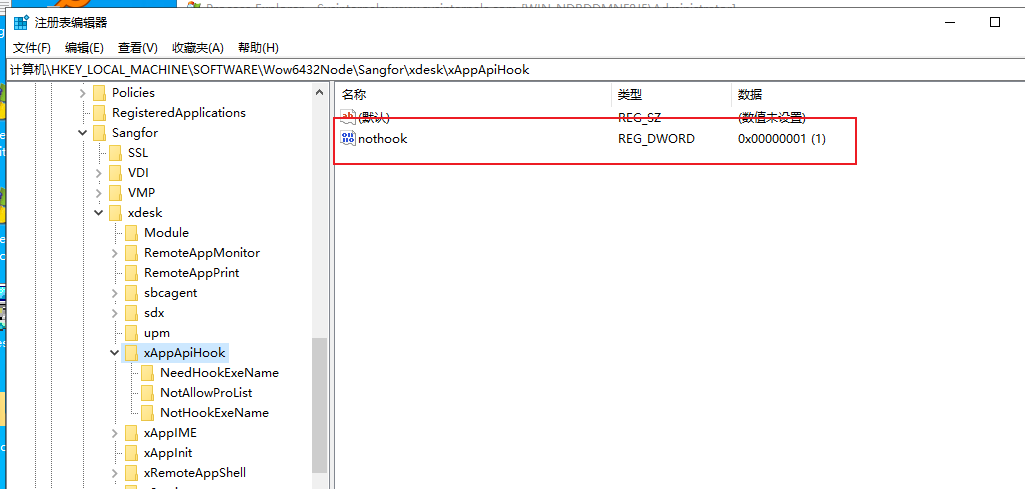
- Under the specified registry key, create a new DWORD (32-bit) value named nothook, and set its value to 1.
- If the specific processes associated with each SBC-published application are known (including any subprocesses that might be launched), it is not necessary to disable the global hook feature (i.e., step 1 can be skipped).
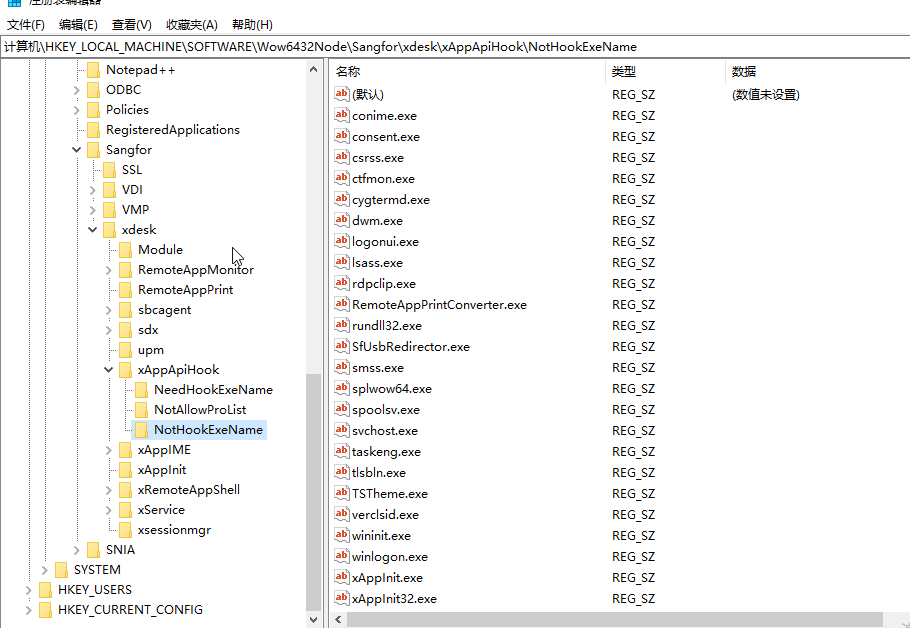
Instead, you can configure the whitelist by creating a REG_SZ value under the NotHookExeName registry key shown in the image below. Name the key after the executable process (e.g., example.exe). No value data needs to be set.
Precautions:
- The solution of disabling the global hook is only use to verify whether the issue is caused by the hook mechanism.
- If the issue is confirmed to be related to the hook, It will then require further identify the specific process and configure a whitelist entry for that process accordingly.