
[VDI]Modify VDC 2GB Memory to Higher
Issue Description
By default the software VDC come with 2GB memory and unable to modify by user. When the VDC imported more than 10k local user, it will cause the VDC always in high load.
Error/Warning Information
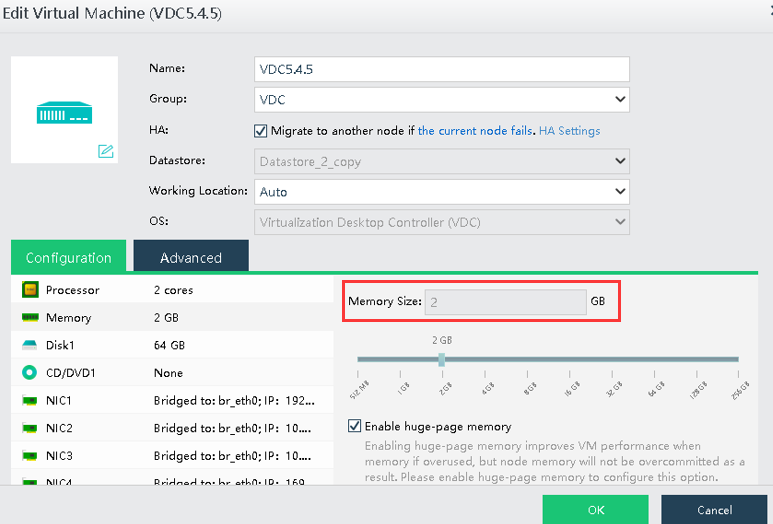
Handling Process
-
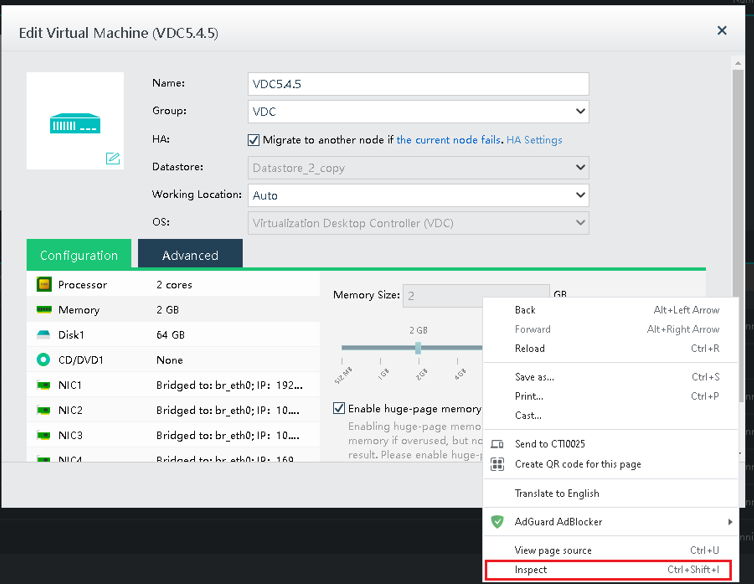
Right click on the memory size field, and select "Inspect".
-
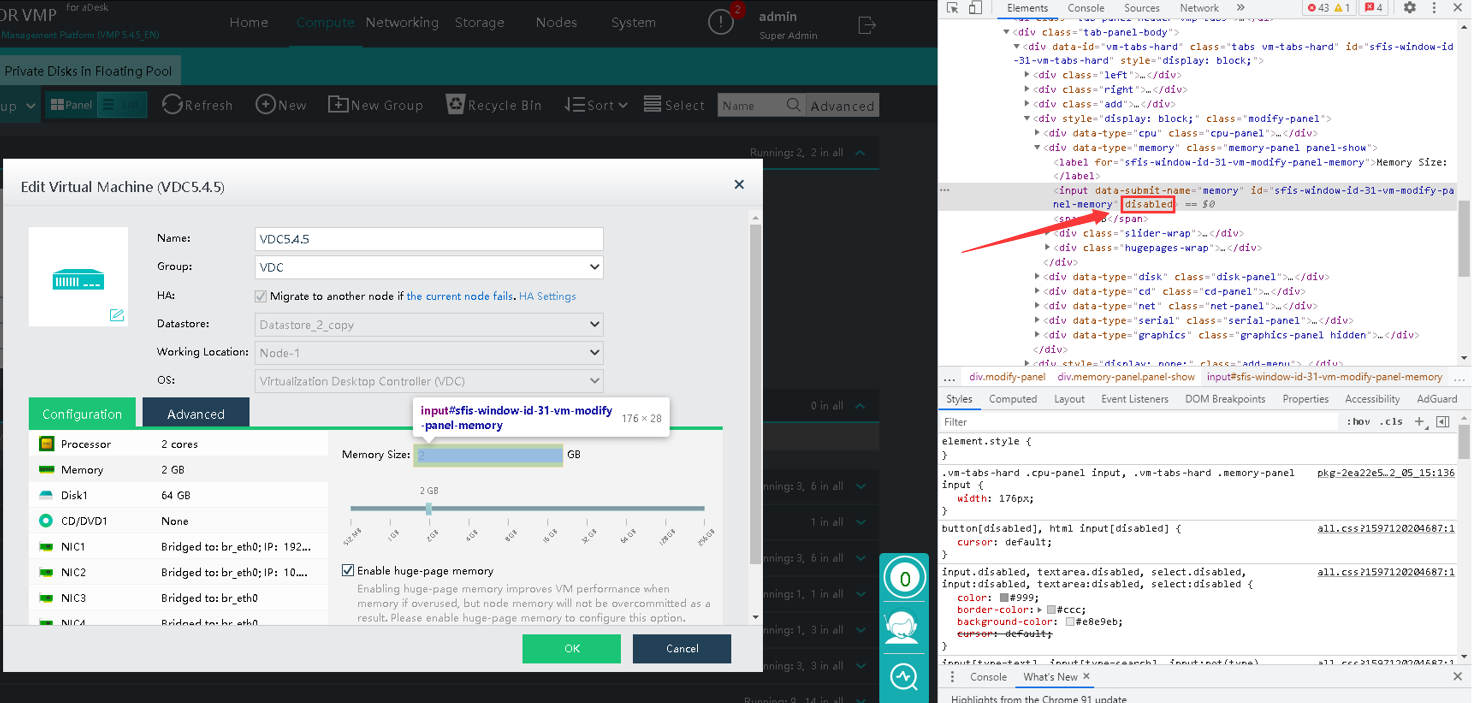
Remove the "disabled" parameter in the input field.
Before:
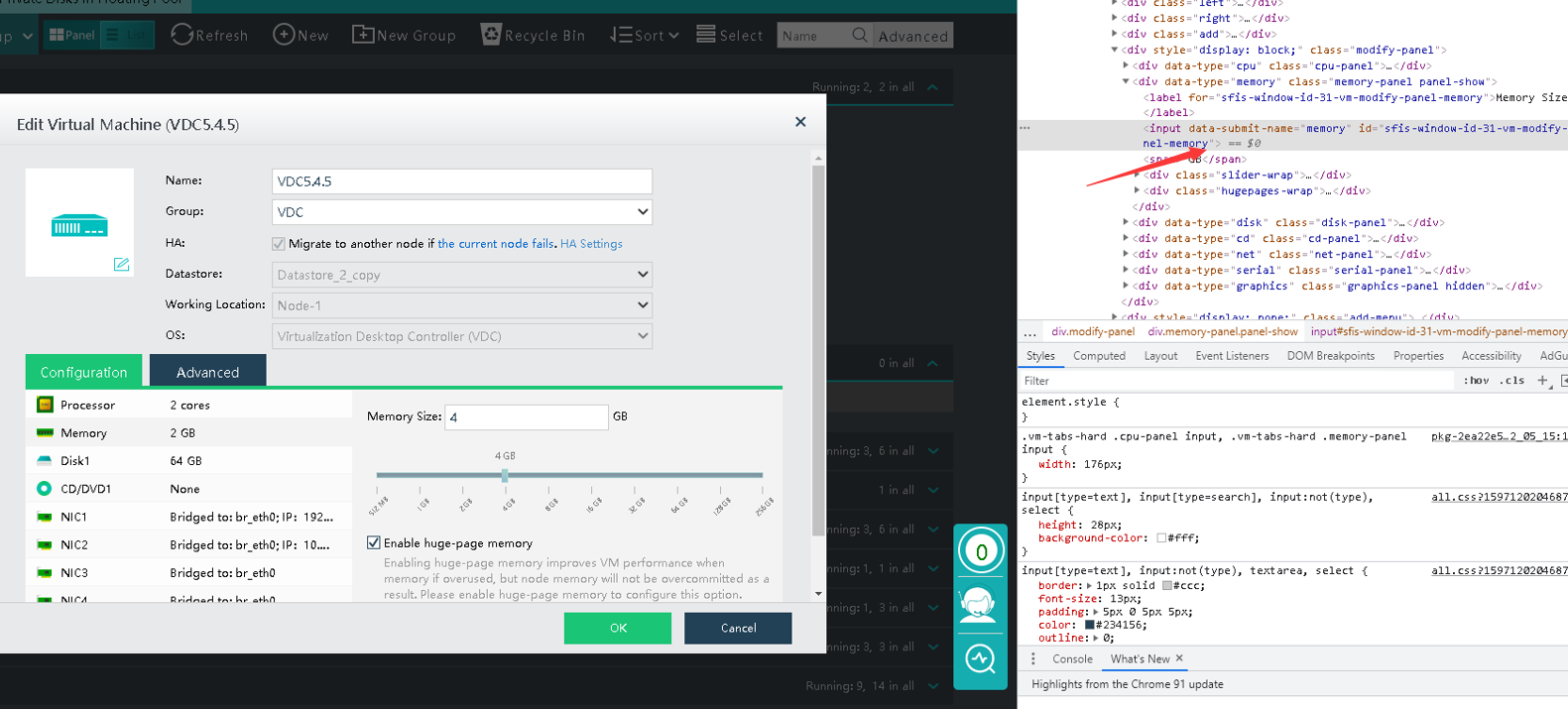
After:
-
Now you are able to edit the memory field, and change to 4GB if required.
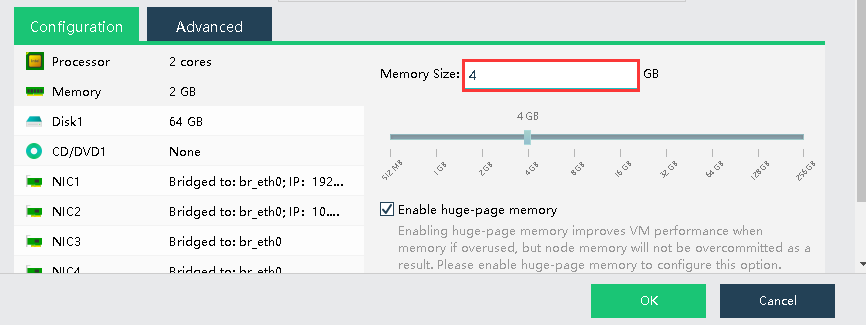
-
Click "Ok", and restart the VDC to take effect.
-
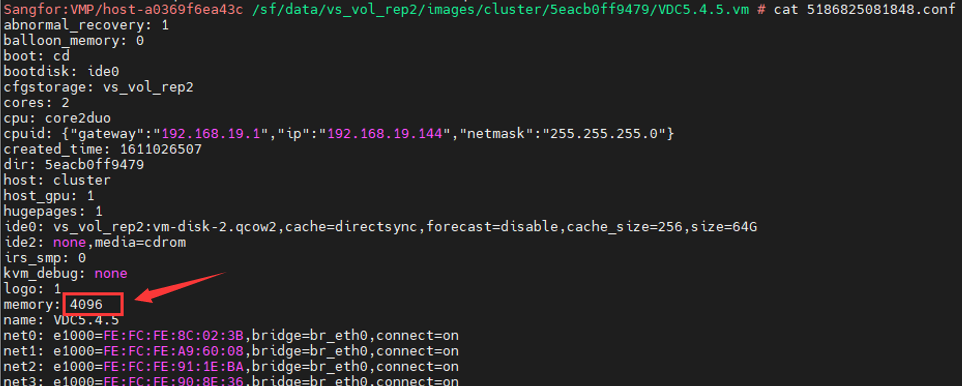
After VDC restarted, you can go to the VMP backend and check the VDC config file and make sure it is showing "4096" in memory size.
Root Cause
The VDC default memory comes with only 2 GB.
Solution
Modify the VDC memory size from F12 inspect.