
[VDI]Thin Client prompts Initialization failed when logging on
Issue Description
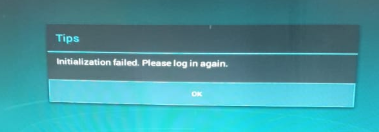
When user logins on Thin Client, it prompts "Initialization failed. Please try again".
- Issue only happens on 1 Thin Client.
Error/Warning Information
Handling Process
-
Download the logs of Thin Client, check logcat.txt logs on the corresponding time.
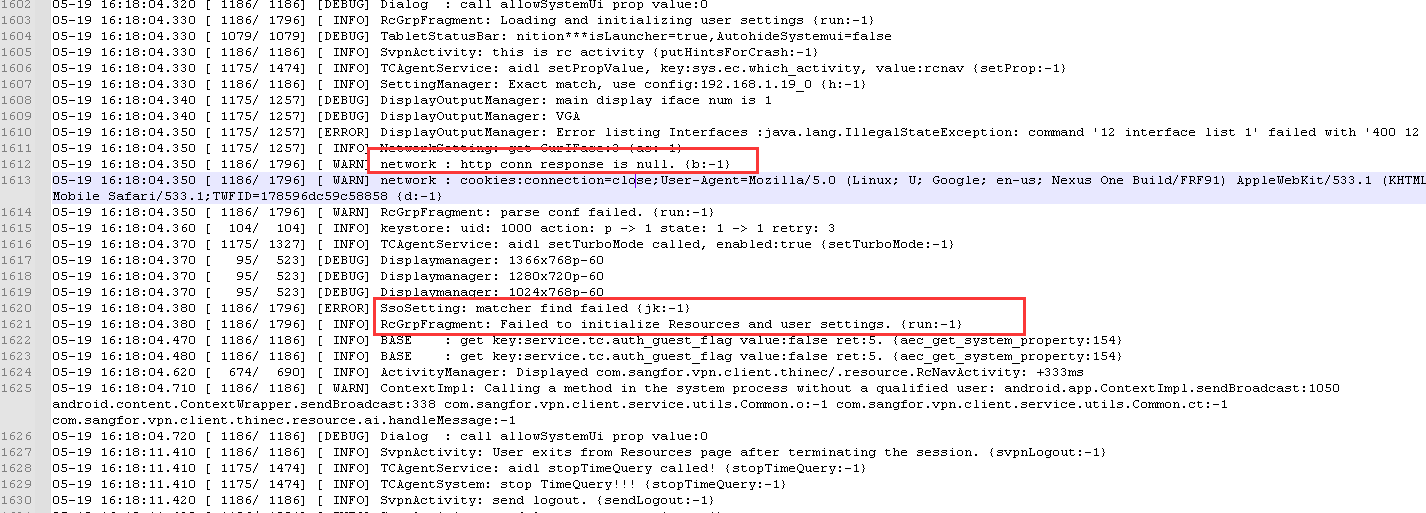
- This log indicates that the http request initiated by the box to the VDC received a "Null" response, and then an error was reported.
-
Continue to analyze the Apache error_log log on the VDC
- The path of the error_log log file:
i. New kernel:/sf/log/httpd/error_log
ii. Old kernel:/hislog/error_log
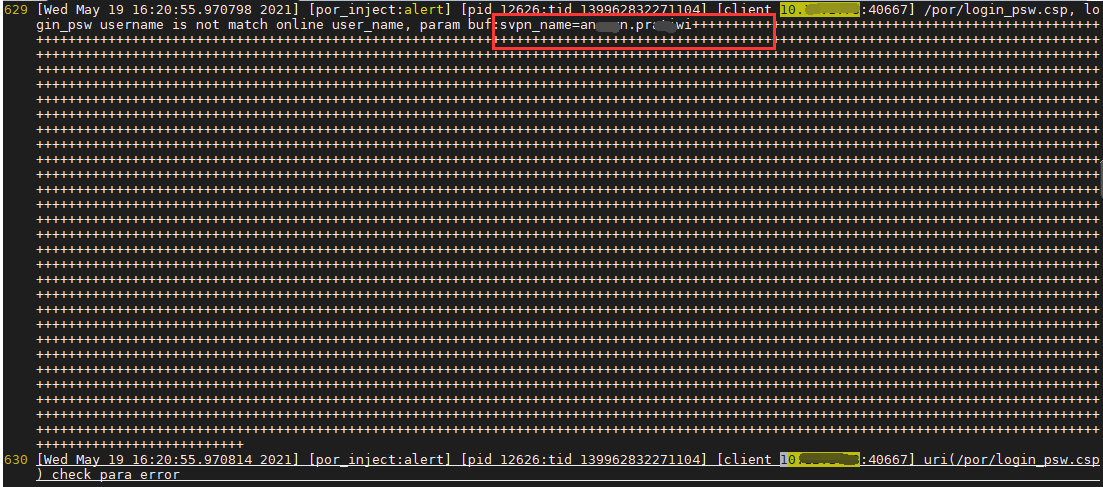
- It can be seen from the error_log log that the user name in the URI requested by the box has a lot of "+" symbols after the username.
- The "+" sign indicates a space in the URI encoding.
- It is very likely that the user accidentally long presses the space bar when logging in.
- The path of the error_log log file:
Root Cause
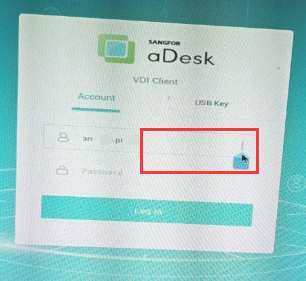
- Extra white space exist on the username field.
Solution
Remove the extra white space entered on the username name field.
Suggestions
If the user name and password are verified by the authentication module, it will report that the user name and password are wrong, here is the account that the security module has verified is abnormal, so no user name and password error is reported.