
[VDI]Ubuntu 18.04 VDI Client Stuck on Loading
Issue Description
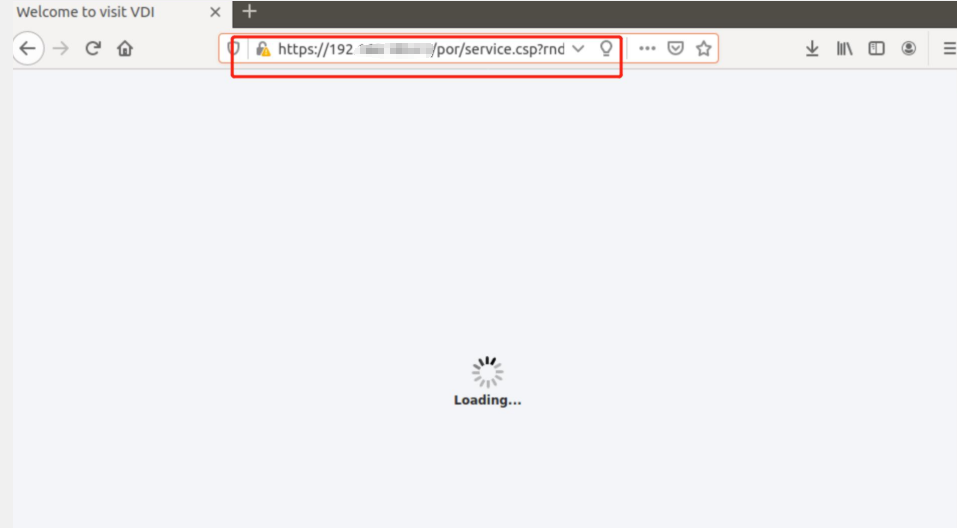
When using Ubuntu 18.04 to login VDI Client, it will stuck on loading page.
Error/Warning Information
Handling Process
-
User have installed VDI client on his physical ubuntu 18.04. After login to VDI client, it will forever stuck on loading page.
-
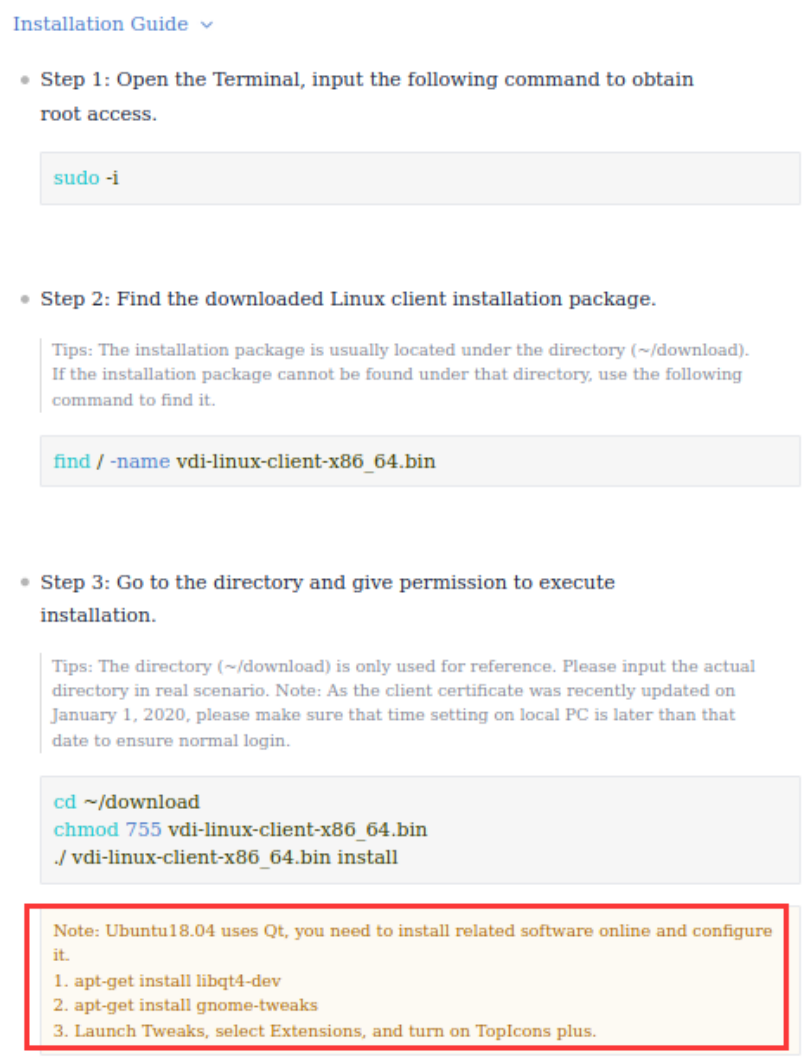
Check on the Linux VDI client installation guide. Found user have missout an important steps especially for ubuntu version 18.04.
-
Next, open command line with sudo root user permission and execute below command:
i.apt-get install libqt4-devii.
apt-get install gnome-tweaksiii. Lastly, search the "Tweaks" application in Ubuntu desktop, select Extensions, and enable "TopIcons plus" feature.
Root Cause
The Ubuntu 18.04 system officially replaced the desktop environment gnome. And the support of the top application icon is removed, so you need to manually enable the top tray option.
Solution
Enable TopIcons plus in extensions.