
[VDI]Unable to access VM usingVDI Client
Issue Description
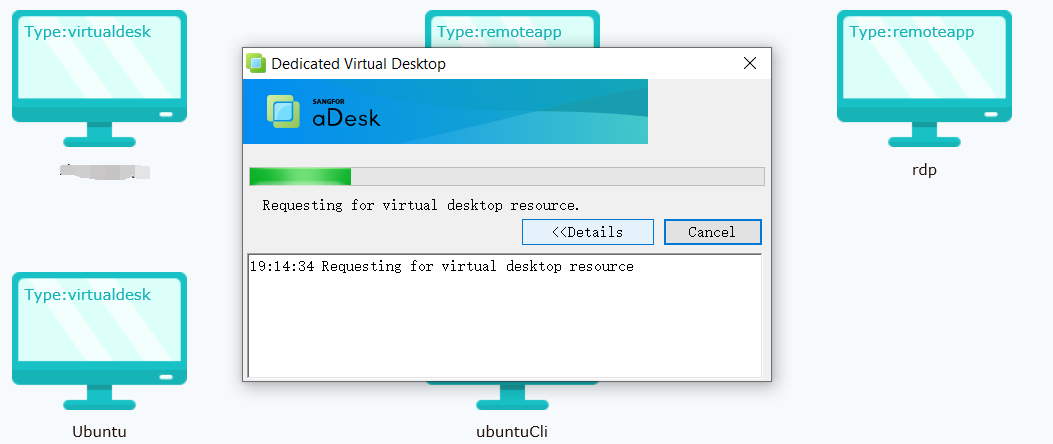
Unable to access VM using VDI Client, it will stuck on Requesting for virtual desktop resource
Error/Warning Information
Handling Process
-
Check the connection, found that the computer can ping and telnet VDC port 443 normally.
-
Try to log in again and find that the problem is still the same.
-
Check the system log and find that there is a log showing that the VMP password is wrong after logging in again.

-
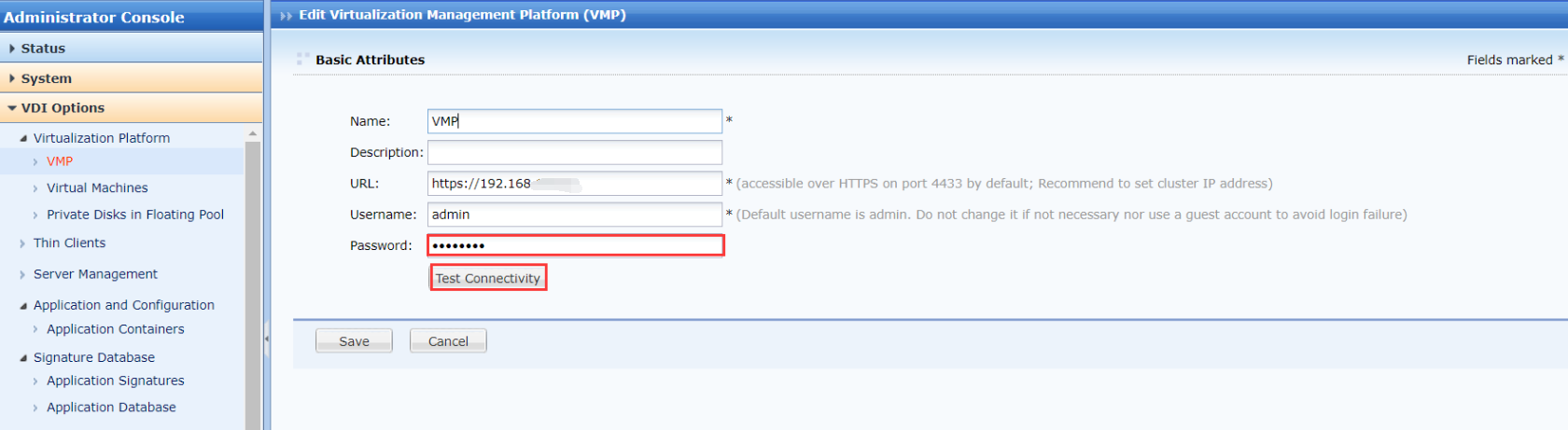
Check the configuration and find that the VMP password is incorrect and the VDC cannot be connected to the VMP.
-
On VDC, go to VDI Option > Virtualization Platform > VMP then choose the VMP and click on Edit button to change the password. After enter new password, can click on Test Connectivity to test the connectivity.
-
Re-login and find that you can log in to the virtual machine normally.
Root Cause
The VMP password configure on VDC are incorrect.
Solution
Change the VMP password on VDC configuration.