
[VDI]VDC Unable to Change Time Zone
Issue Description
After logging in to VMP, a warning indicates that "VDC license has expired. affects normal operation. Please get authorization ASAP"
Error/Warning Information
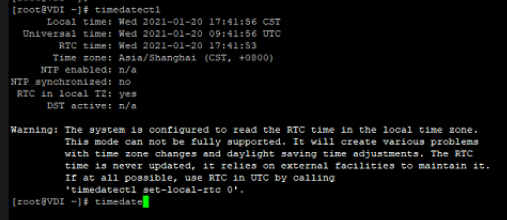
Handling Process
-
Go to path
/usr/share/zoneinfo/and choose the user region.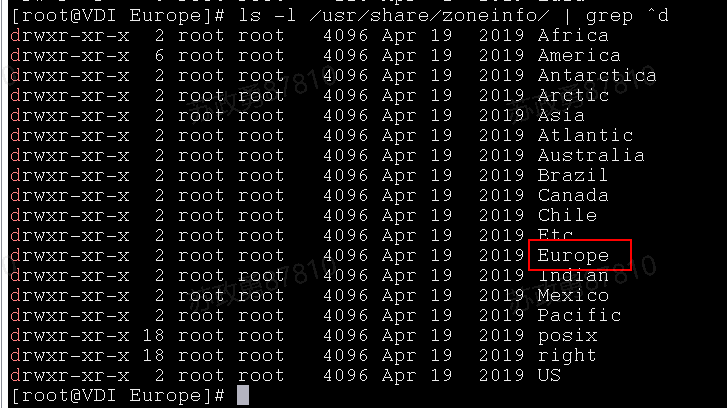
-
Go to
/usr/share/zoneinfo/Europeand choose Rome for Italy customer.

-
Use command
timedatectl set-timezone Europe/Rometo set the Rome as default timezone.
Result:
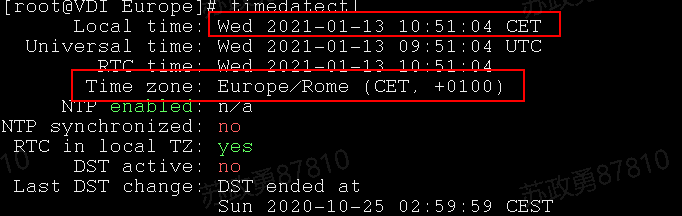
-
Now, modify the WebUI PHP default timezone from Shanghai to Europe/Rome at
path:/sf/share/webui/html/_inc/svpndefine.php
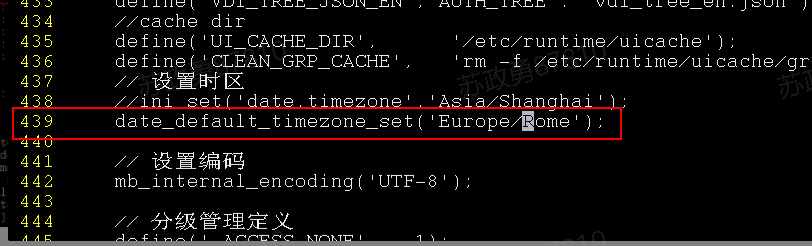
-
Complete, now VDC able to show the correct time.
Solution
Back end modify VDC default timezone.