
[VDI]Virtual machine cannot be powered on, prompts storage might be abnormal
Issue Description
Power on a Virtual Machine failed and prompts to check the storage.
Error/Warning Information
Failed to power on the virtual machine(VM123) possibly due to storage error. If it is external storage, go to Nodes -> Storage to check whether the storage exists and there is any related alarm, and log in to storage server to check the storage. If it is virtual storage, go to Storage to check for the error.
Handling Process
-
Found that a number of restored type VM are unable to power on.
-
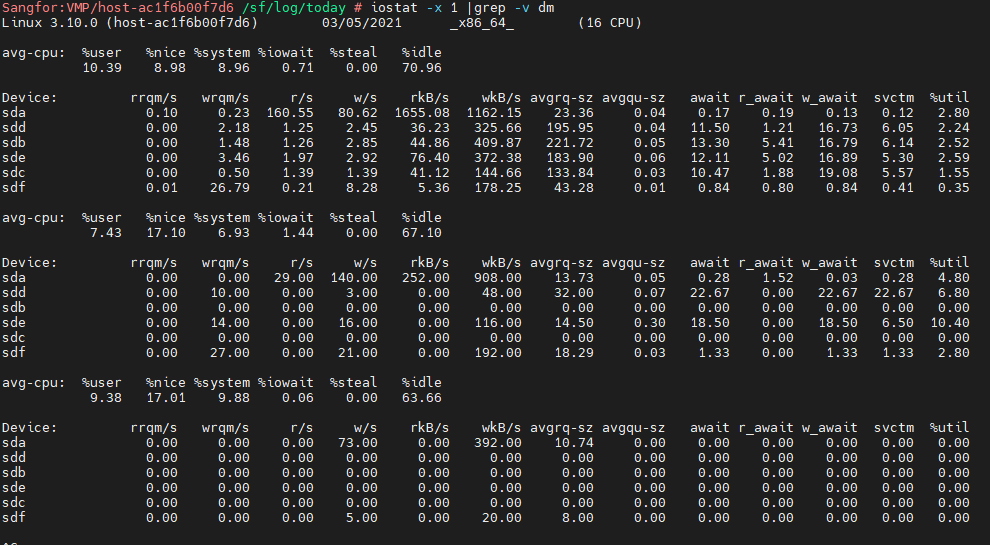
Enter backend and check disk iostat is normal.
Command:iostat -x 1 |grep -v dm
-
Use script to check data consistency, no issue.
Command:
vs_cluster_cmd.sh e "/sf/vs/bin/vs_localhost_checkok.js ;echo \$?"

-
Check kernel logs, no obvious error found.

-
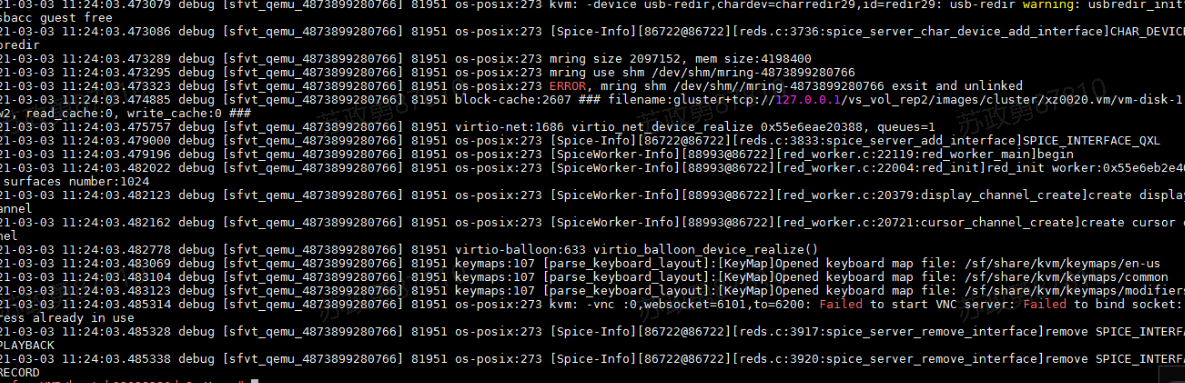
Check VM qemu logs, found VNS related error.
-
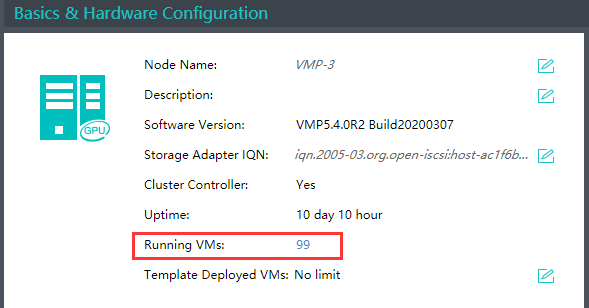
Check on the host summary and found that there are 100VMs running on the host.
Root Cause
There can only be one hundred VNC ports on the server. When a single server runs to 100 virtual machines, the ports are occupied and the virtual machines cannot be booted
Solution
Verified with R&D that there is this restriction, only 100 virtual machines can be run on a single server and the restriction cannot be released for the time being