
[VDI]VMP alarm “CPU rate belows the threshold”
Issue Description
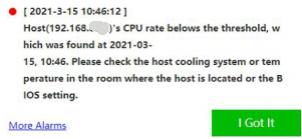
VMP web console showing alarm with "CPU rate belows the threshold Please Check the host cooling system or temperature in the room where the host is located or the BIOS setting".
Error/Warning Information
Handling Process
-
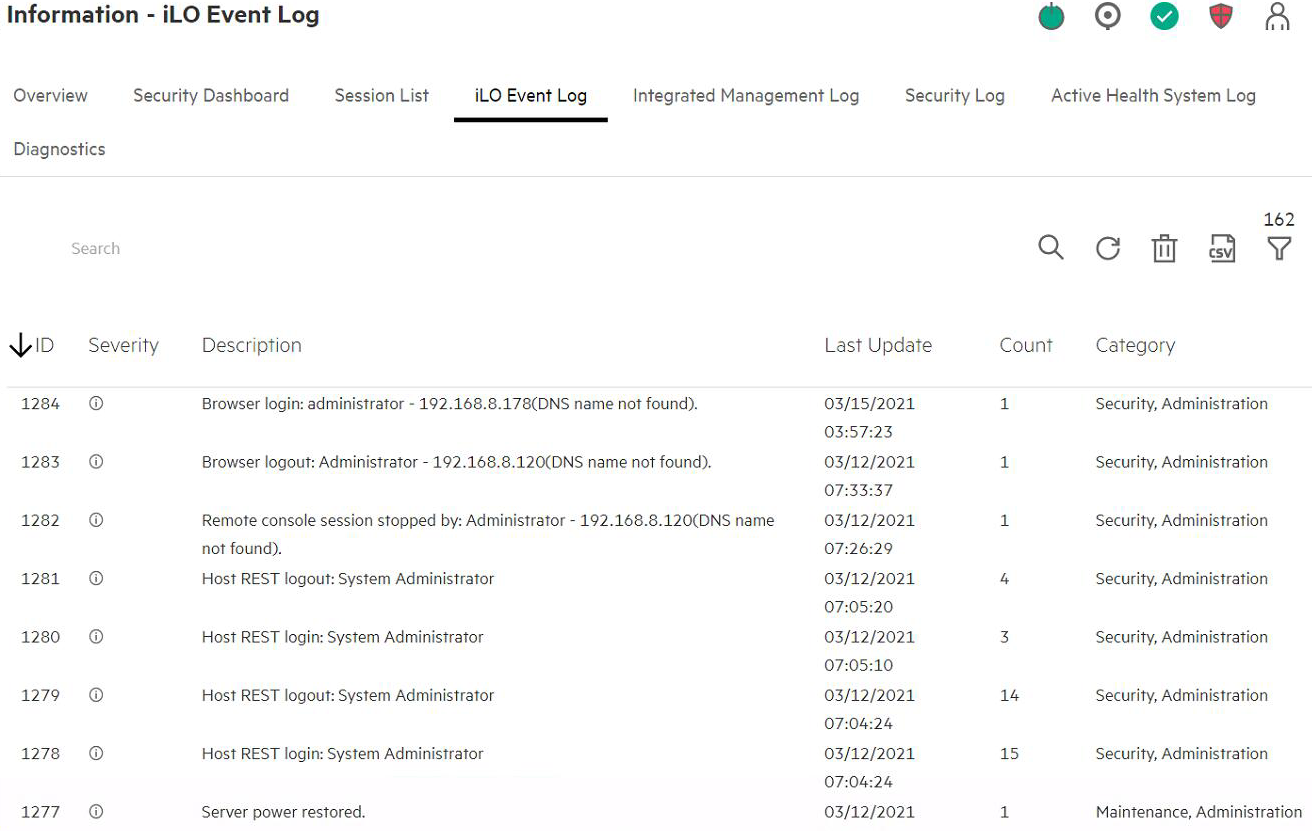
Check event logs on server management portal and no abnormal logs found.
-
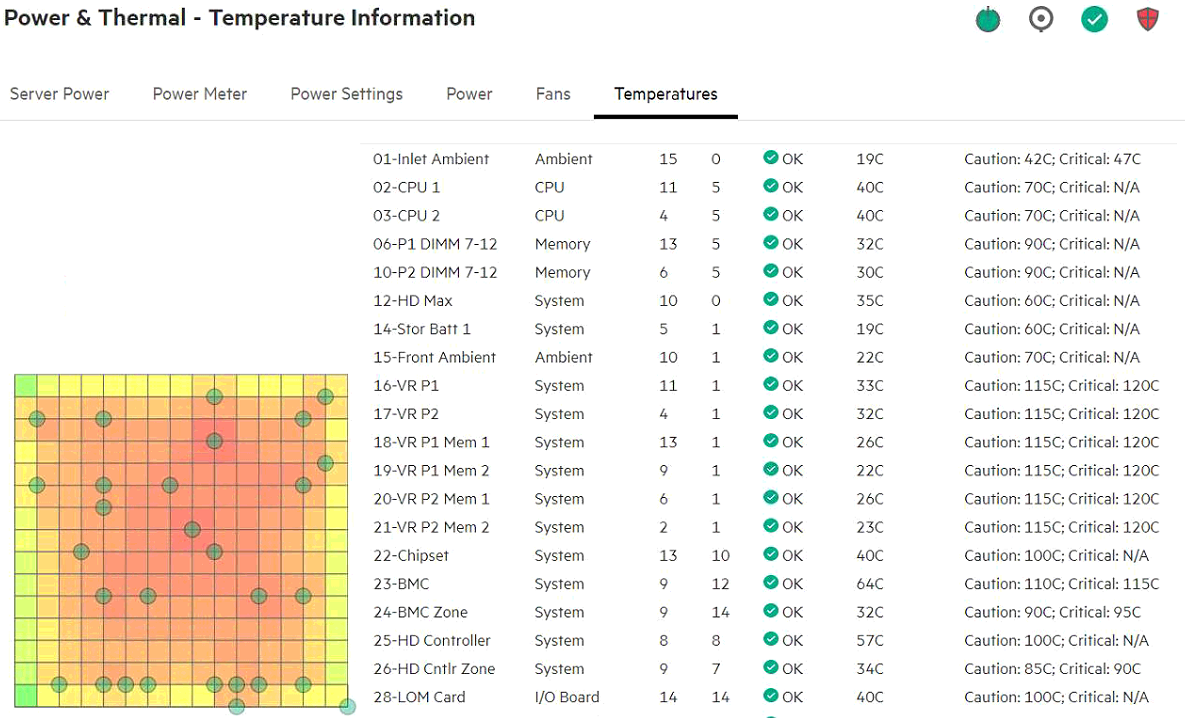
Check CPU temperature on server management portal, but did not found any abnormal.
-
Check the CPU freequency on VMP backend, and the result show CPU frequency is running underclock.
-
Command:
echo $$ > /mnt/cgroup/cpu/tasks; turbostat -
Customer environment:
Bzy_MHz (Running state) is less than TSC_MHz (Main frequency) consider underlock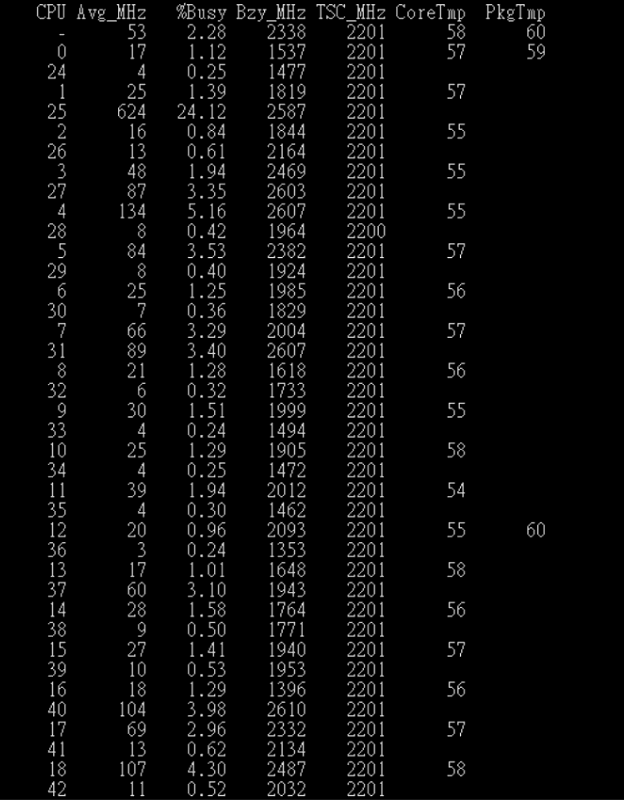
-
Normal environment:
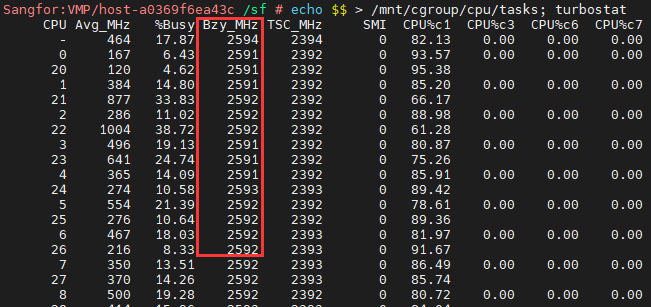
-
-
Tried enable Static High Performance Mode in Power Regulator Settings, but CPU still running underclock.
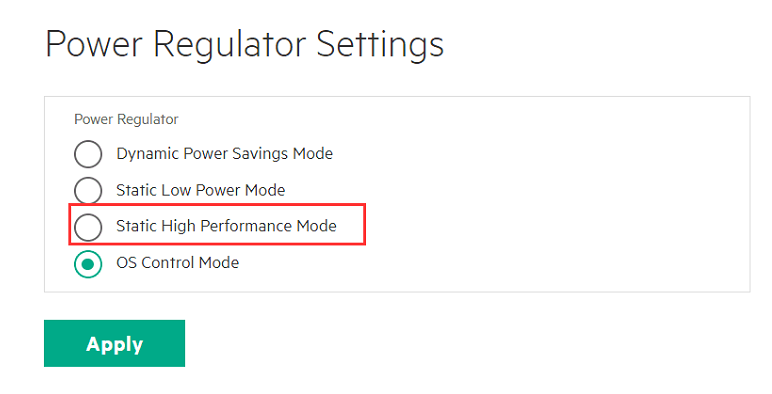
-
Next, go to BIOS and change the power profile to Virtualization – Max Performance and the issue has been resolved.

Root Cause
CPU is running underclock so the alarm will be triggered.
Solution
Enable Static High Performance Mode in Power Regulator Settings and Virtualization – Max Performance in BIOS to ensure CPU working on high frequency.