
【WANO】Local Subnet PC Unable To Access Internet: Access Control Policy
Issue Description
The WANO device deployed as Gateway under the Router. Local computer cannot access the external network through Layer 2 switch.
Handling Process
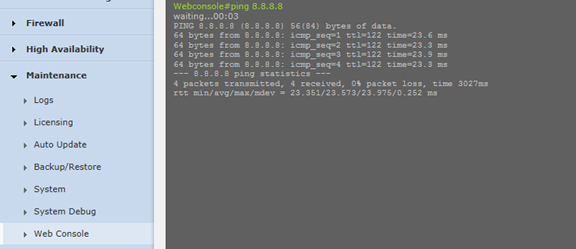
1.In the Web Console page, the device able to ping 8.8.8.8 indicating that the device can access the Internet.
Path: Maintenance > Web Console
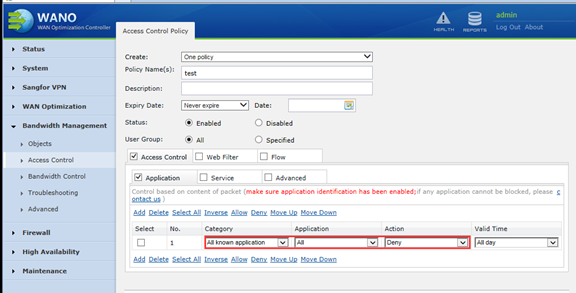
2.Check the Access Control Policy and find that the application control is configured. All known applications are rejected. After delete, the problem is solved.
Path: Bandwidth Management > Access Control
Root Cause
The device is configured with Application Control and rejects all known applications.
Solution
Delete the policy configured at the Application Control.