
【WANO】Tunnel Route Add Failed: The Branch User Name Is Same As The VPN Connection User Name.
Issue Description
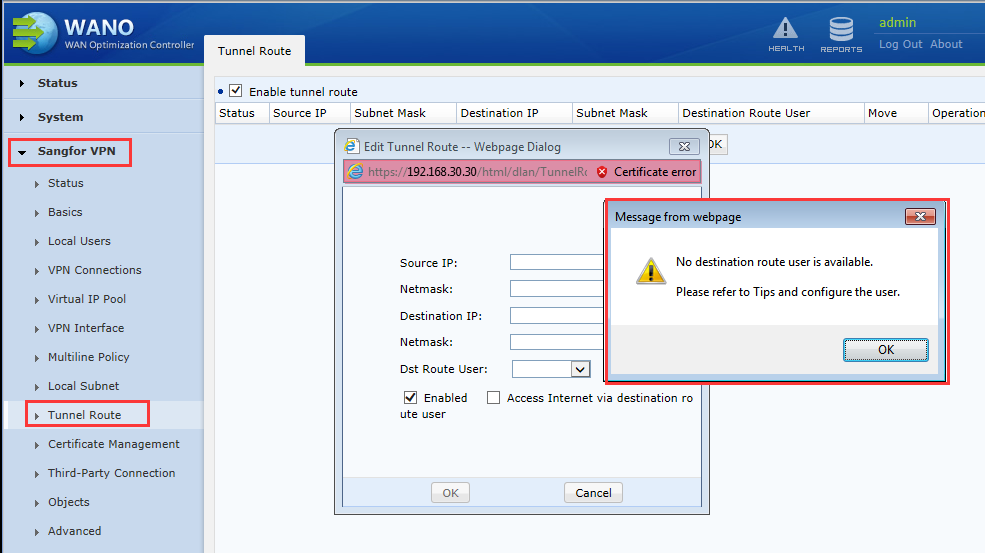
Requirement is to implement branch to branch access. When configuring the tunnel route on the branch, it prompts “No destination route user is available”.
Handling Process
- When configuring the tunnel route in the console to implement branch access, error message prompts: “No destination route user is available. Please refer to Tips and configure the user.”, as shown in the following figure.
Path: Sangfor VPN > Tunnel Route
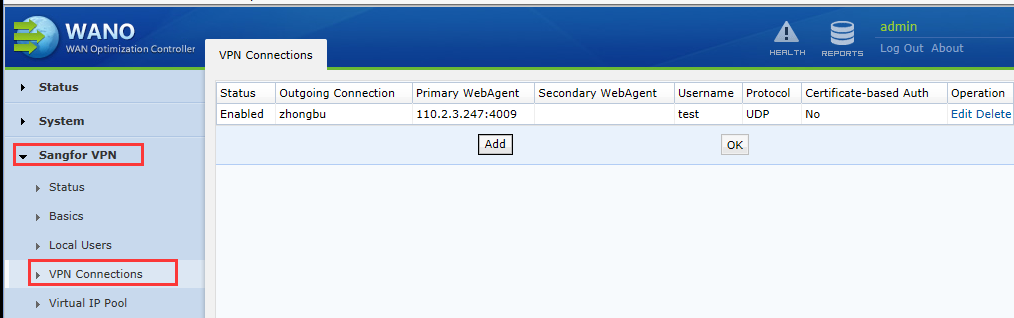
- View VPN Connection had configured correspond configuration, as shown below.
Path: Sangfor VPN > VPN Connections
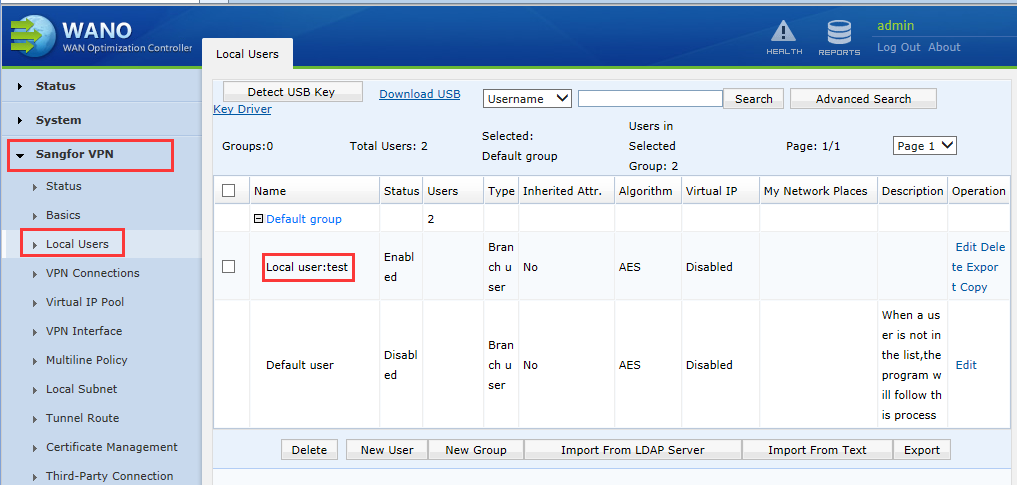
- Check that the same user exists in the Local Users. The device cannot recognize the user when having two same users exist, the tunnel route user cannot be selected.
Path: Sangfor VPN > Local Users
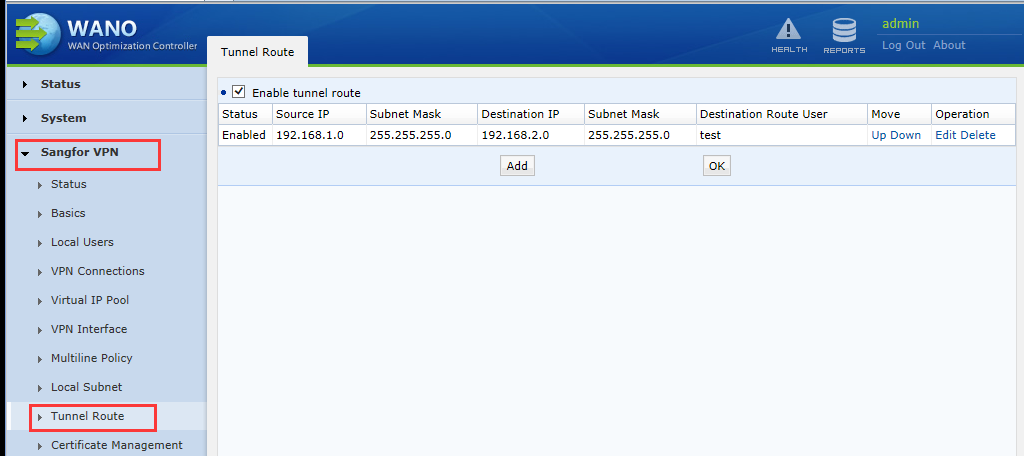
- After deleted the same Local Users, the tunnel route can be successfully configured.
Root Cause
The User cannot be identified when the device Local Users and the VPN Connection have the same user name. The destination route user in Tunnel Route unable to be selected.
Solution
Delete local duplicate user and create new user with different name.