
【WANO】WANO Disk Usage Displayed As (NaNB)
Issue Description
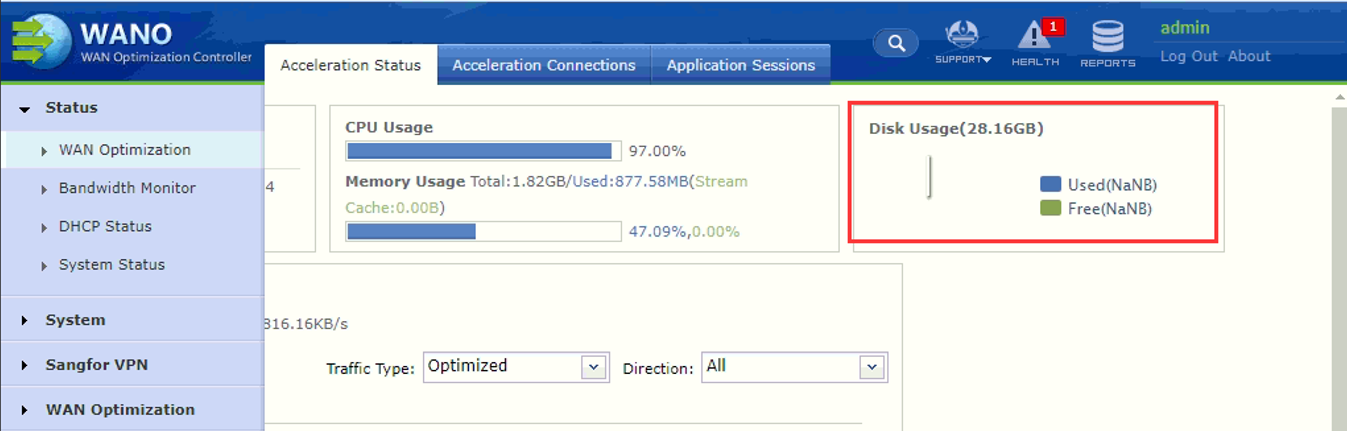
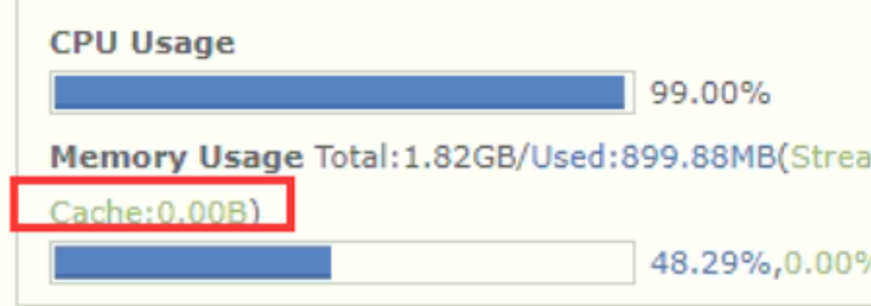
When login to the WANO WebUI console, found the Disk Usage is displayed as (NaNB) and Cache isn’t functioning.
Handling Process
- Inspect via system backend.
- check if the cache process is running or not.
Command: ps aux | grep cache
- check if the cache process is running or not.
i. Normal

ii. Abnormal
- without the /app/usr/sbin/cache process.

-
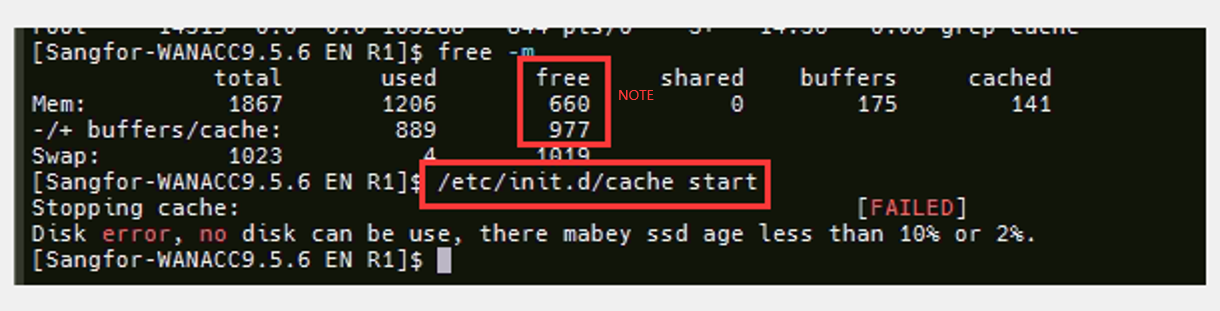
When try to start up the cache service manually it will return "Disk error, no disk can be use, there maybe ssd age less than 10% or 2%"
Command: /etc/init.d/cache start
NOTE: -
Use "free -m" to check the current available RAM, don’t startup the cache service if the available free RAM is less than 500M. If the available free RAM is below 500M means the RAM is abnormal and caused cache service went abnormal or service being killed.
-
Starting up the cache service will not affect production but must ensure the available free RAM is more than 500M, otherwise, there will be problems when starting the service.
Root Cause
-
The disk’s lifetime is about to deplete and caused cache service fails to start up.
Solution
- The disk needs to RMA.