
【NGAF】Failed to login web UI due to multiple location restriction
Issue Description
Failed to login web UI due to the account has been logged in in multiple locations.
Error/Warning Information

Handling Process
- Cleared session on device backend, issue persist.
- Restarted "sangfor_waf" service.
restore_web_service - Restarted "httpd" service.
/etc/init.d/http_d restart - Tried to access web UI with multiple web browsers.
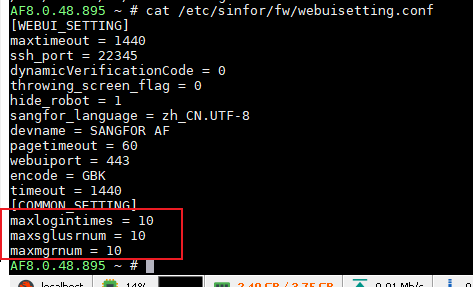
- Checked backend file, found that the login location has been adjusted.
Root Cause
The number of login location has been adjusted.
Solution
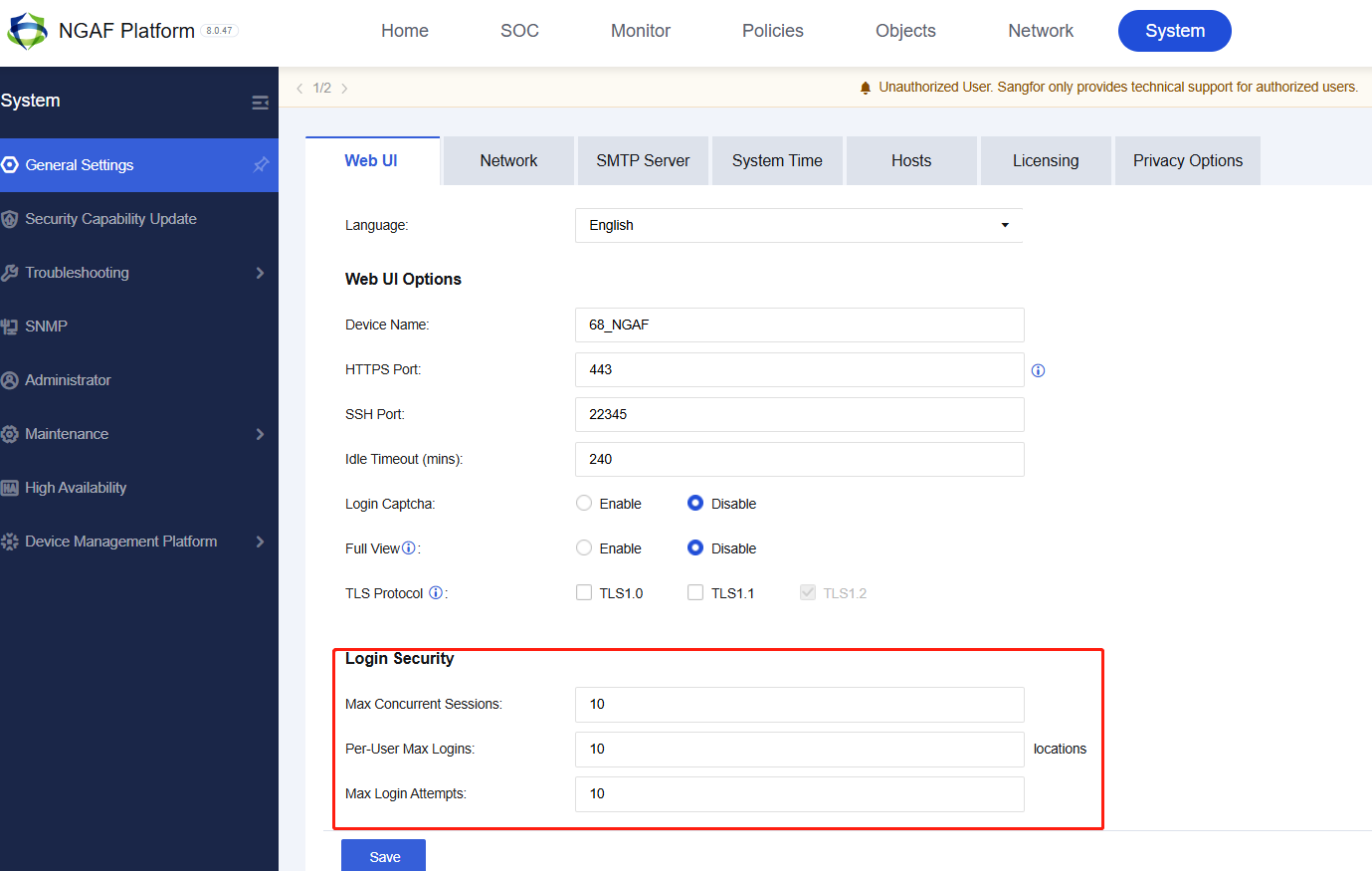
Adjusting the setting to default as following.
Impact scope for taken action
No impact.
Suggestion/Conclusion
The number of login location has been adjusted.